


Github Authentication

GitHub is a web-based platform that enables developers to store and manage their source code repositories,
Github Settings
Connect to Settings.
Create new credential
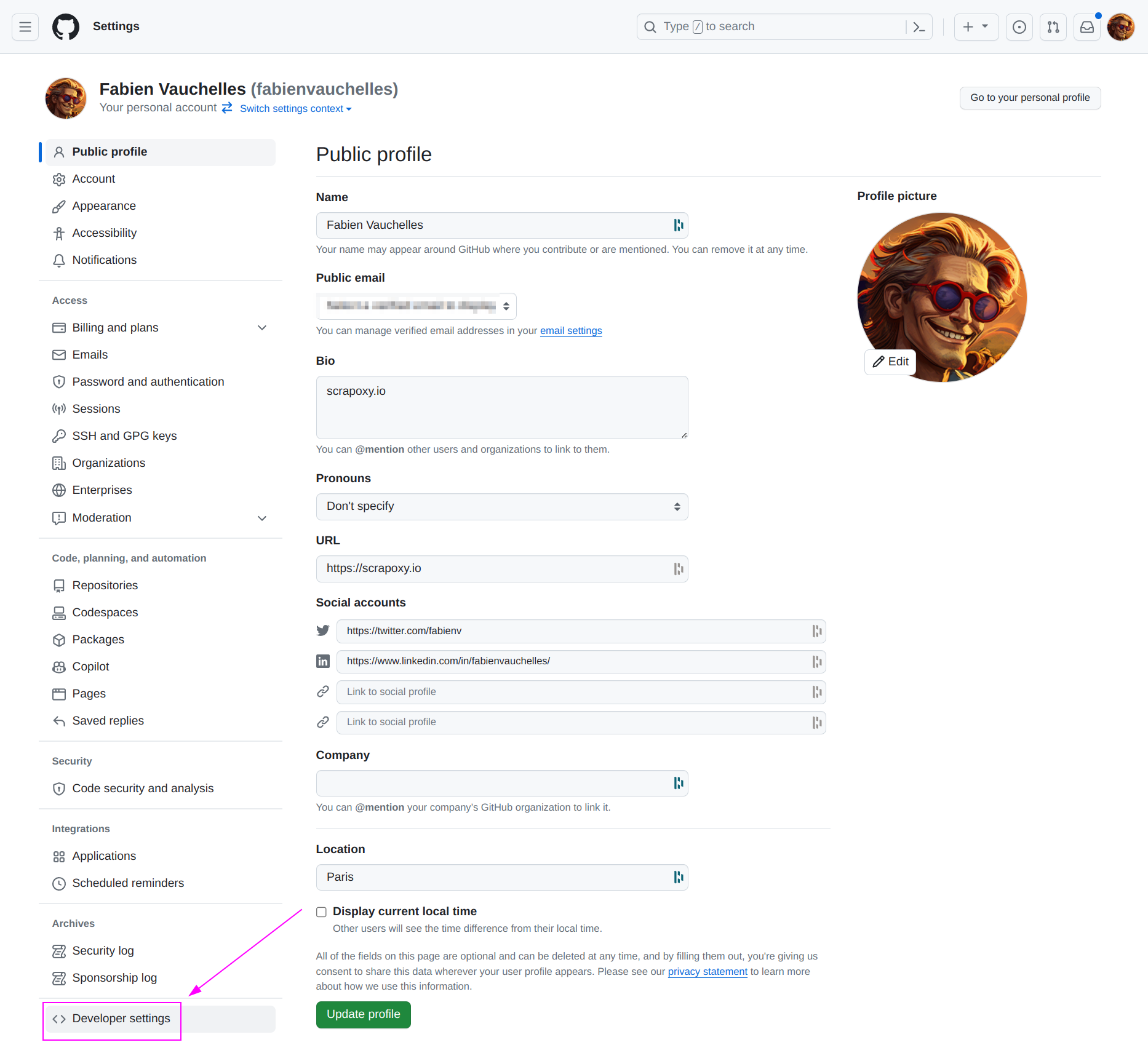
On the left menu, click on Developer settings.

- Click on
OAuth Apps; - And click on
New OAuth App.
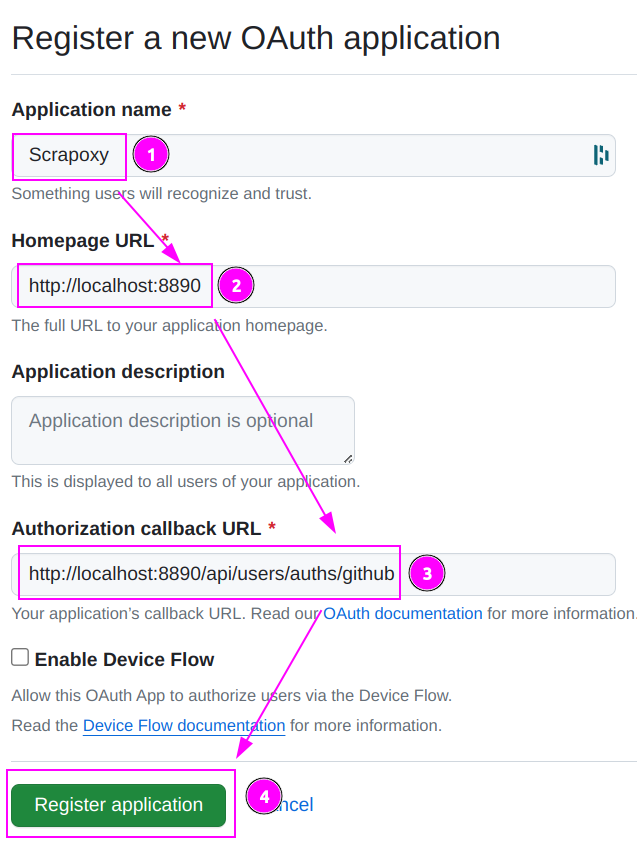
- Enter
ProxyHerdas Application name; - Enter your app URL as Homepage URL;
- Enter
http://localhost:8890/api/users/auths/githubas Authorization callback URL (replacehttp://localhost:8890by the external URL of your ProxyHerd instance); - Click on
Register application.
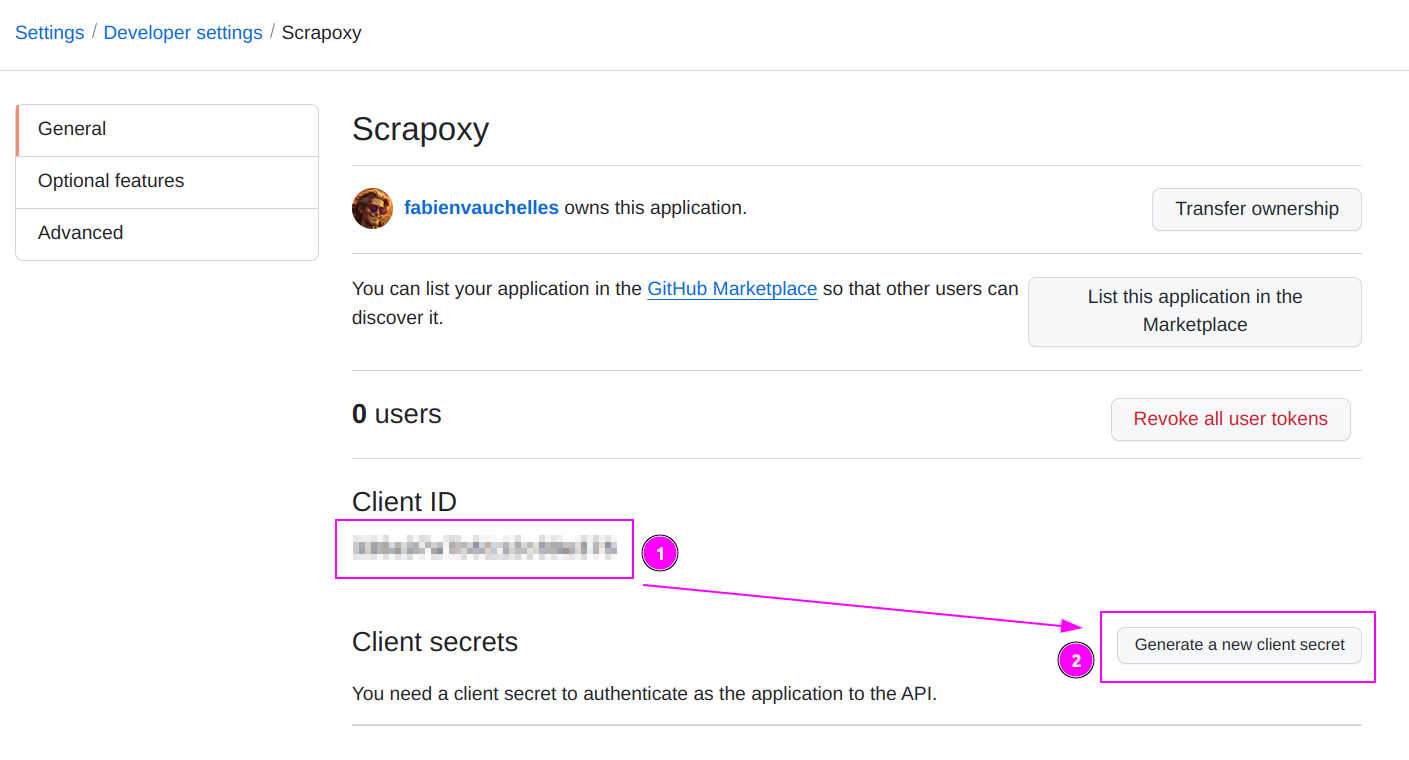
- Remember the Client ID;
- Click on
Generate a new client secret;
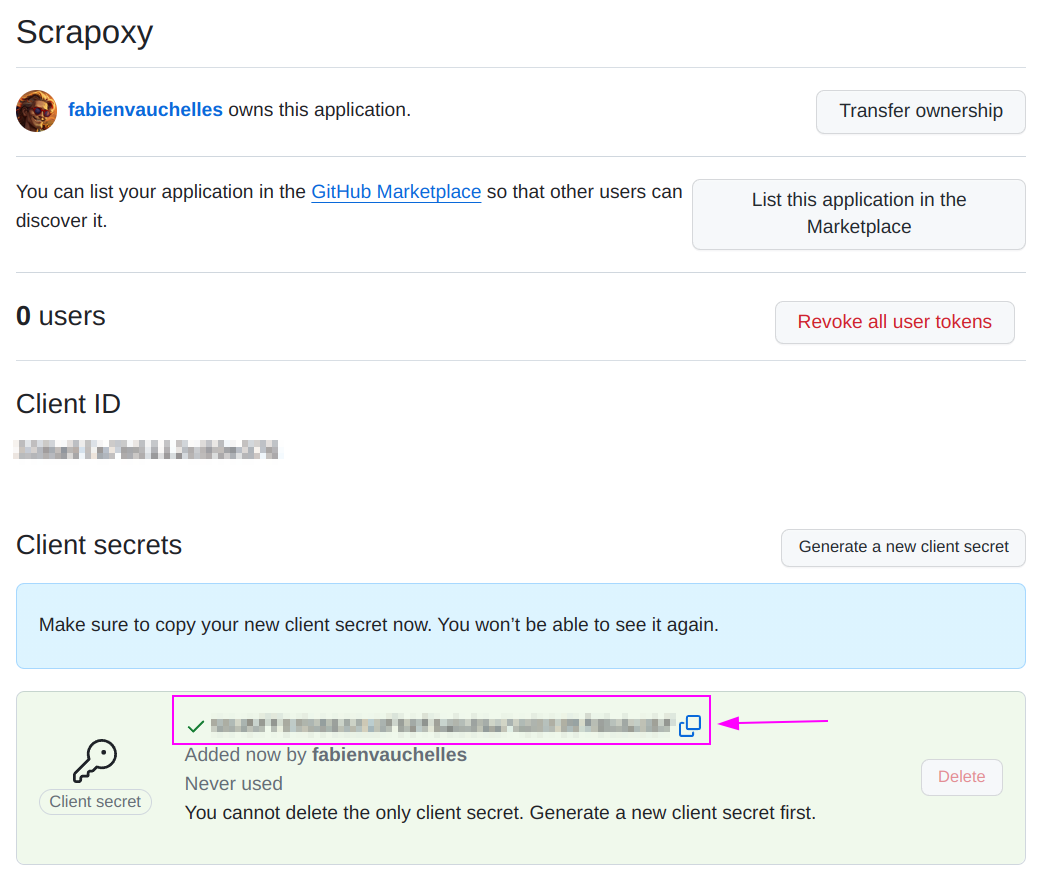
Remember the Client secret.
ProxyHerd
With Docker
Open the terminal and run the following command:
shell
docker run -d -p 8888:8888 -p 8890:8890 -e FRONTEND_URL=http://localhost:8890 -e AUTH_GITHUB_CLIENT_ID=my_client_id -e AUTH_GITHUB_CLIENT_SECRET=my_client_secret -e BACKEND_JWT_SECRET=secret1 -e FRONTEND_JWT_SECRET=secret2 ghcr.io/proxyherd/proxyherdReplace:
my_client_idandmy_client_secretwith the values you copied earlier;http://localhost:8890by the external URL of your ProxyHerd instance.
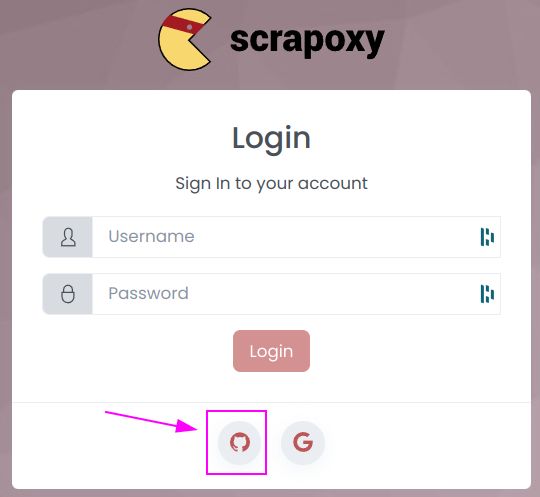
ProxyHerd will automatically bootstrap the Github authentication:
With NPM
On Linux
Open the terminal and run the following command:
shell
FRONTEND_URL=http://localhost:8890 AUTH_GITHUB_CLIENT_ID=my_client_id AUTH_GITHUB_CLIENT_SECRET=my_client_secret BACKEND_JWT_SECRET=secret1 FRONTEND_JWT_SECRET=secret2 npx --yes proxyherdReplace:
my_client_idandmy_client_secretwith the values you copied earlier;http://localhost:8890by the external URL of your ProxyHerd instance.
On Windows
Open the Command Prompt and run the following command:
shell
set FRONTEND_URL=http://localhost:8890
set AUTH_GITHUB_CLIENT_ID=my_client_id
set AUTH_GITHUB_CLIENT_SECRET=my_client_secret
set BACKEND_JWT_SECRET=secret1
set FRONTEND_JWT_SECRET=secret2
npx --yes proxyherd
Replace:
my_client_idandmy_client_secretwith the values you copied earlier;http://localhost:8890by the external URL of your ProxyHerd instance.