


IPRoyal Dynamic IP Connector

IPRoyal is a proxy provider that offers a versatile selection of different proxies. These include top-end residential proxies, datacenter proxies, and even niche-specific sneaker proxies
This connector is for Royal Residential Proxies.
INFO
Residential Proxies are accessed via a unique endpoint, and the link is maintained through a sticky session mechanism.
Prerequisites
An active IPRoyal subscription is required on Royal Residential Proxies.
IPRoyal Dashboard
Connect to Dashboard.
Get the proxy credentials
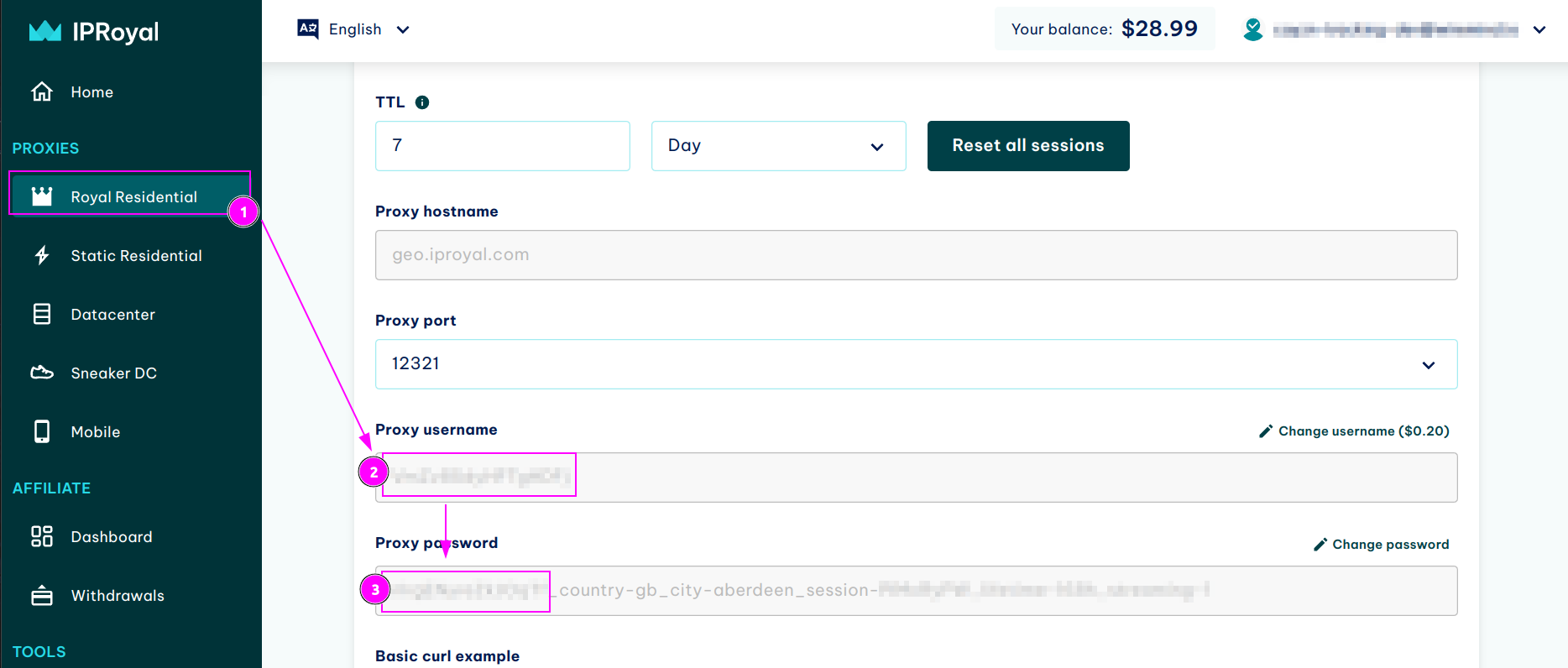
- On the left menu, select
Royal Residential; - Remember the
Proxy username; - Remember the
Proxy password.
TIP
On the password, only keep the first part before the _ character.
ProxyHerd
Open ProxyHerd User Interface and select Marketplace:
Step 1: Create a new credential
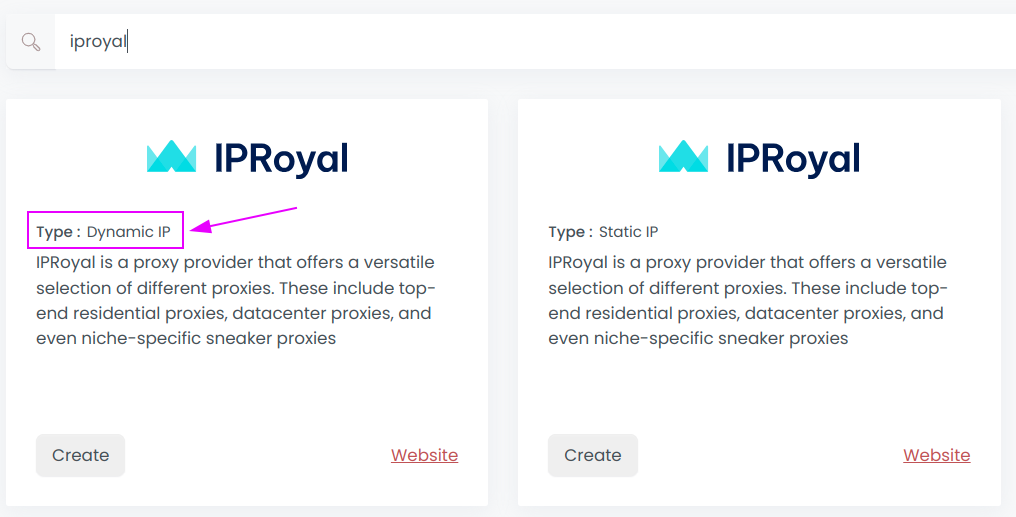
Select IPRoyal with type Dynamic IP to create a new credential (use search if necessary).
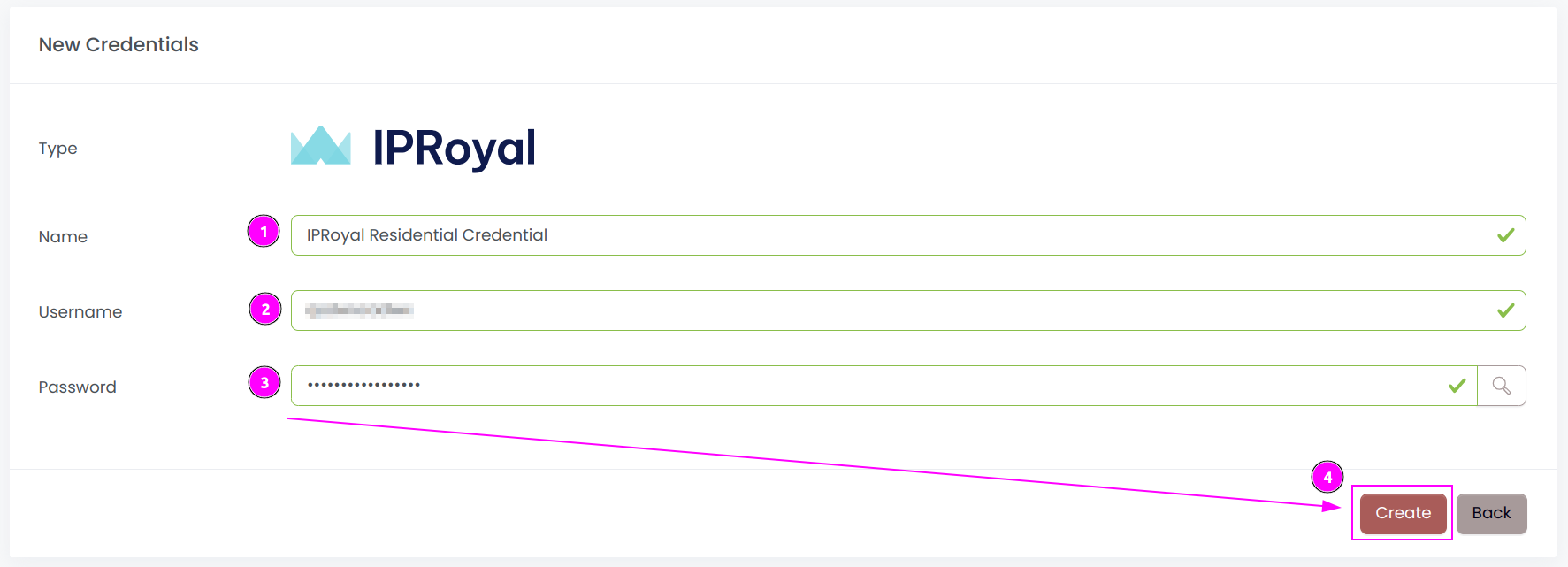
Complete the form with the following information:
- Username: The username of the Proxy;
- Password: The password of the Proxy.
And click on Create.
Step 2: Create a new connector
Create a new connector and select IPRoyal as provider:
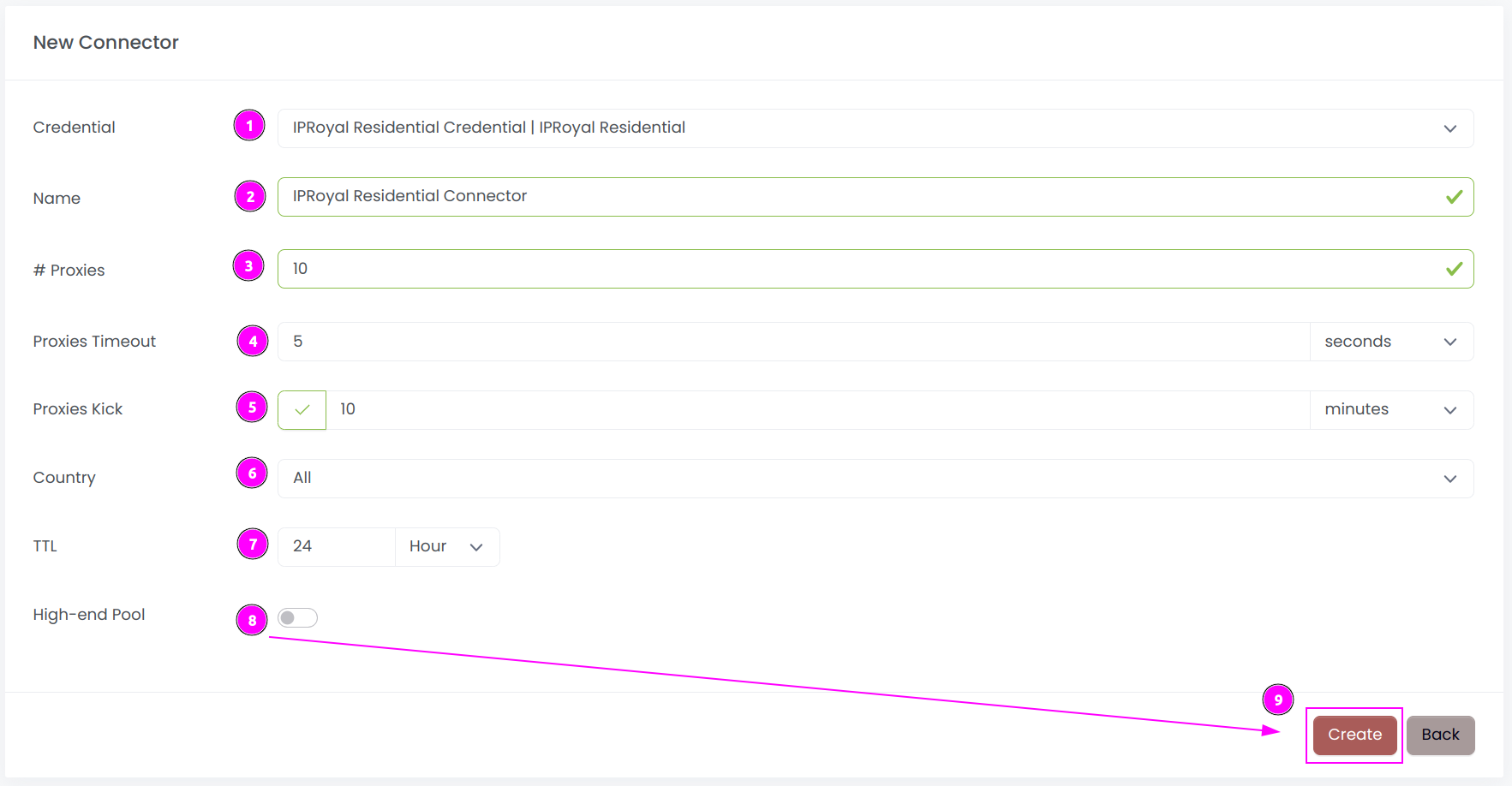
Complete the form with the following information:
- Credential: The previous credential;
- Name: The name of the connector;
- # Proxies: The number of instances to create;
- Proxies Timeout: Maximum duration for connecting to a proxy before considering it as offline;
- Proxies Kick: If enabled, maximum duration for a proxy to be offline before being removed from the pool;
- Country: Select the country to use, or
Allto use all countries; - TTL: Select the duration of the sticky session;
- High-end Pool: If enabled, choose only fast and stable proxies from the IP Royal pool.
And click on Create.
Step 3: Start the connector

- Start the project;
- Start the connector.
Other: Stop the connector

- Stop the connector;
- Wait for proxies to be removed.