


HypeProxy Connector

HypeProxy provides ultra-stable EU Mobile Proxies with Unlimited IP Rotations and 100% Clean IPs. Specially designed to meet your needs: data scraping, browser automation, account creation, growth hacking, SEO...
Prerequisites
An active HypeProxy subscription is required.
HypeProxy Dashboard
Connect to Dashboard.
Get the credentials

- On the top right, click on your profile picture;
- Select
My Profile.
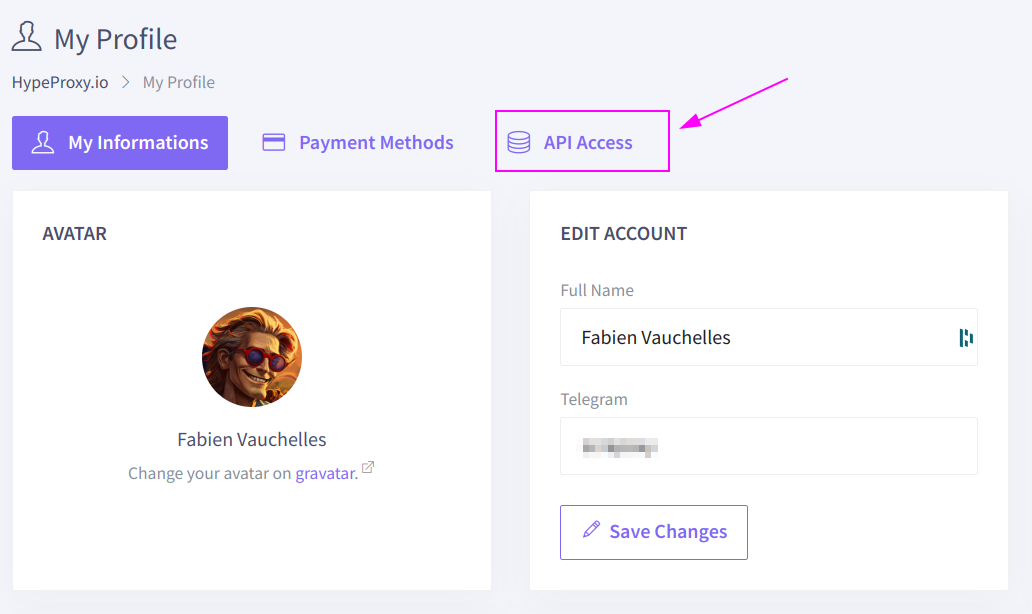
Select API Access tab.

Click on Copy to copy the token into the clipboard.
ProxyHerd
Open ProxyHerd User Interface and select Marketplace:
Step 1: Create a new credential
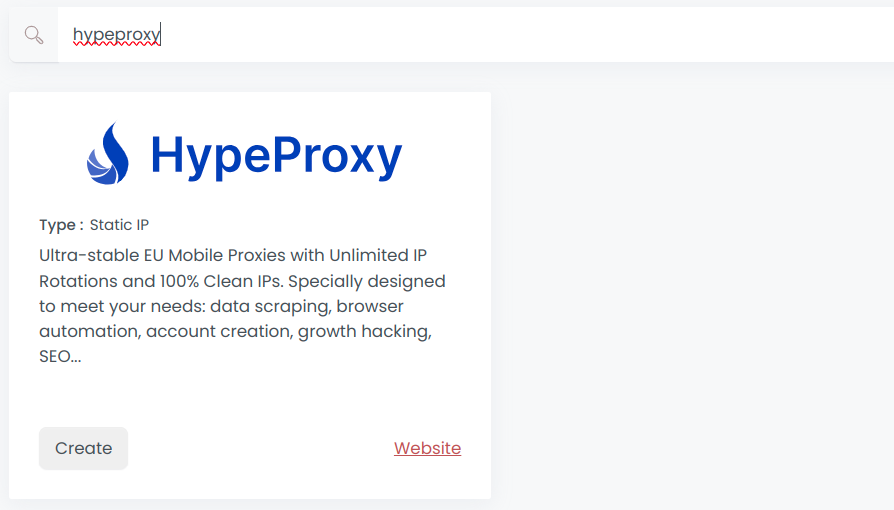
Select HypeProxy to create a new credential (use search if necessary).
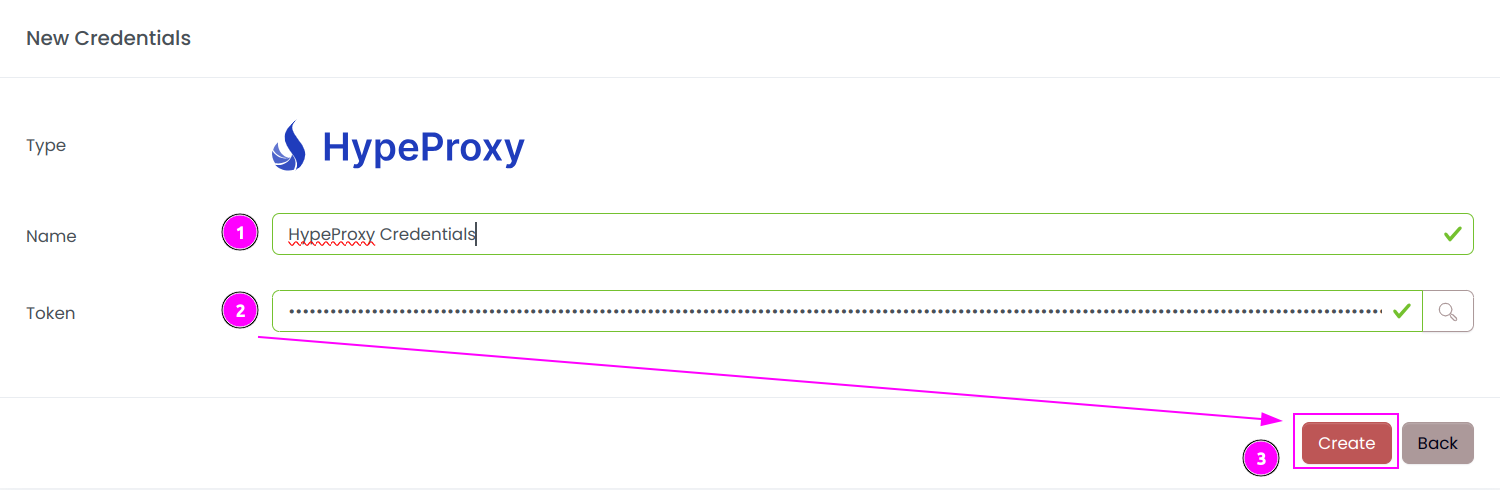
Complete the form with the following information:
- Name: The name of the credential;
- Token: The previously copied token.
And click on Create.
Step 2: Create a new connector
Create a new connector and select HypeProxy as provider:
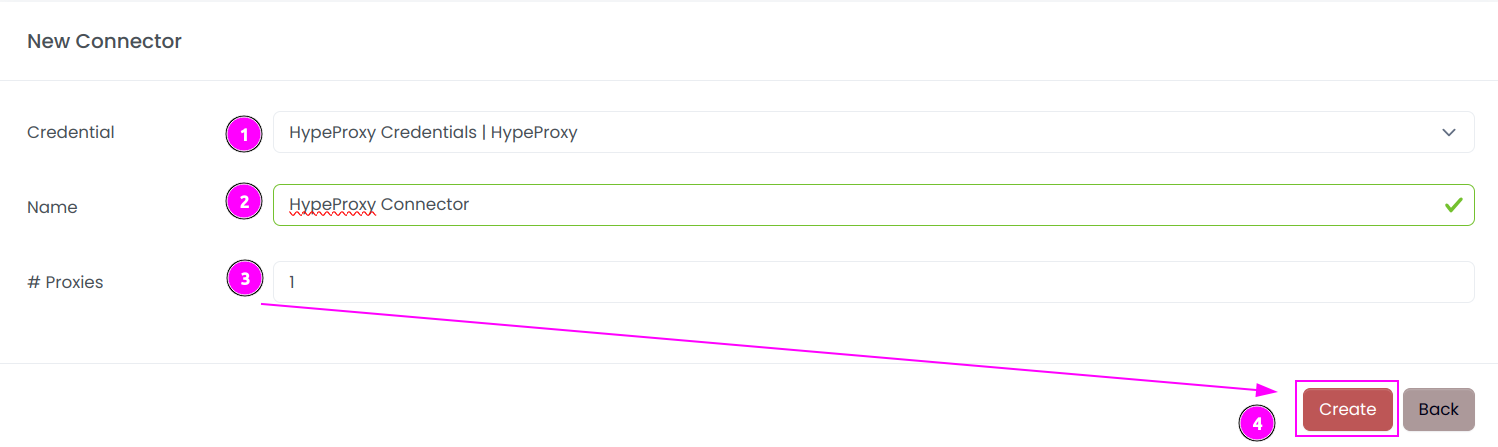
Complete the form with the following information:
- Credential: The previous credential;
- Name: The name of the connector;
- # Proxies: The number of instances to create.
And click on Create.
Step 3: Start the connector

- Start the project;
- Start the connector.
Step 4: Interact with modems

Within this connector, you can perform 2 actions on the proxies:
- Trash button: Remove the proxy from the ProxyHerd pool and replace it with a new one;
- Cross button: Force a change in IP address of the proxy (this process takes 8 seconds).
INFO
Same proxy is re-added if there are insufficient proxies in your pool.
Other: Stop the connector

- Stop the connector;
- Wait for proxies to be removed.