

Proxidize Connector
Proxidize is a revolutionary mobile proxy network creation and management platform built on mobile devices allowing businesses to create ultra-powerful proxies that are incomparable to anything else.
Prerequisites
- Proxidize material and subscription are required.
- ProxyHerd can access to Proxidize admin interface and proxies IP addresses.
Proxidize Admin
Connect to your Proxidize hardware UI and remember the URL.
Get the credentials
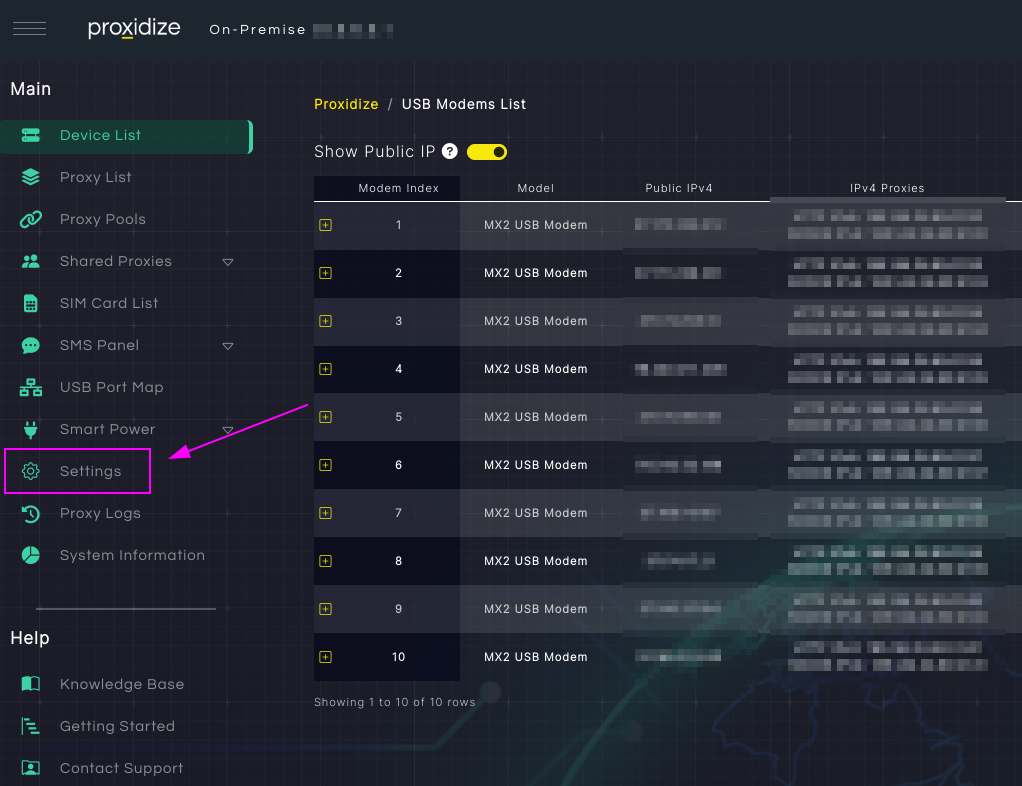
Click on Settings.
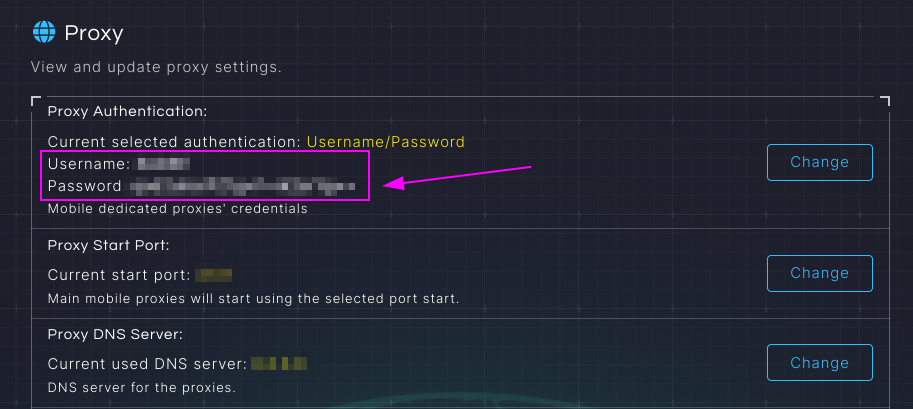
Remember Username and Password.
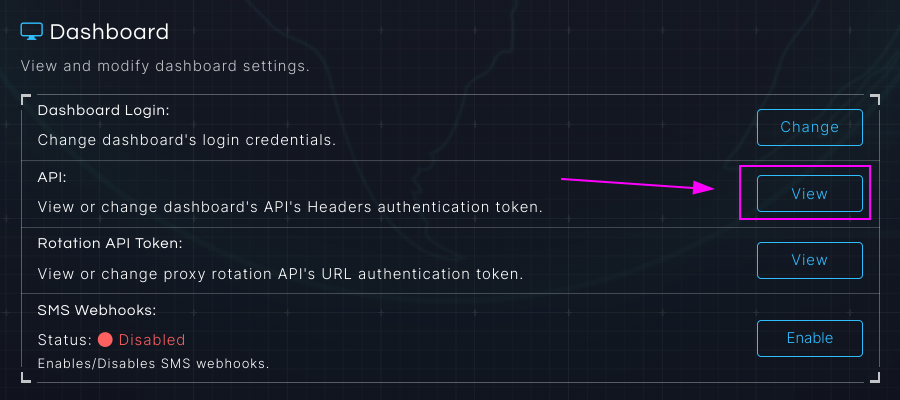
Go the the Dashboard > API section and click on View.
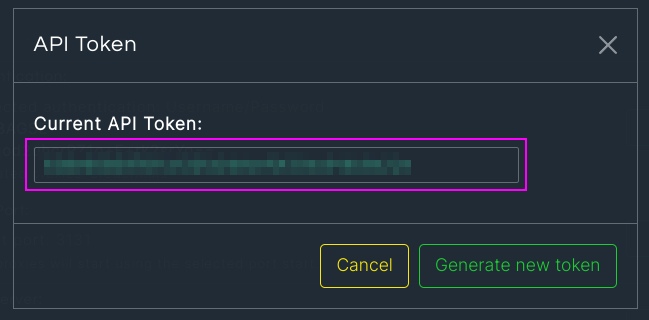
Remember the API Token.
ProxyHerd
Open ProxyHerd User Interface and select Marketplace:
Step 1: Create a new credential
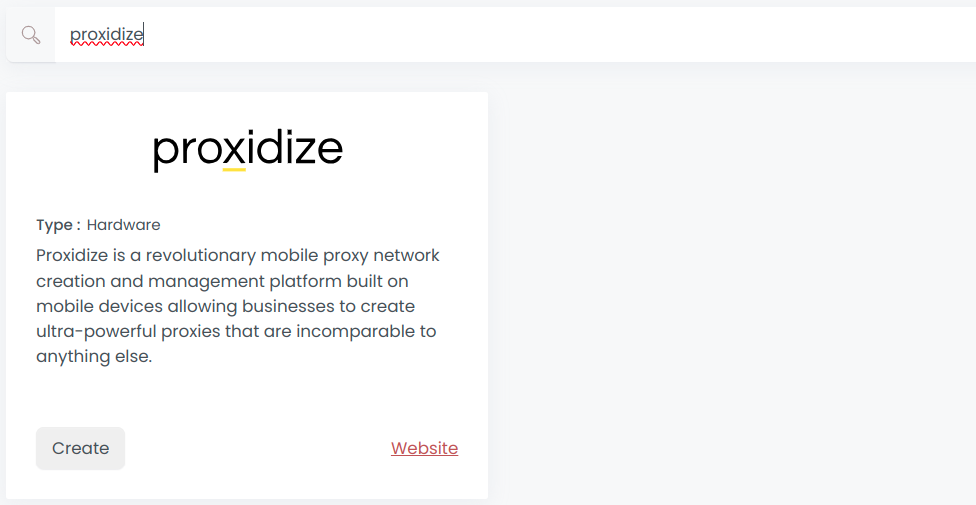
Select Proxidize to create a new credential (use search if necessary).
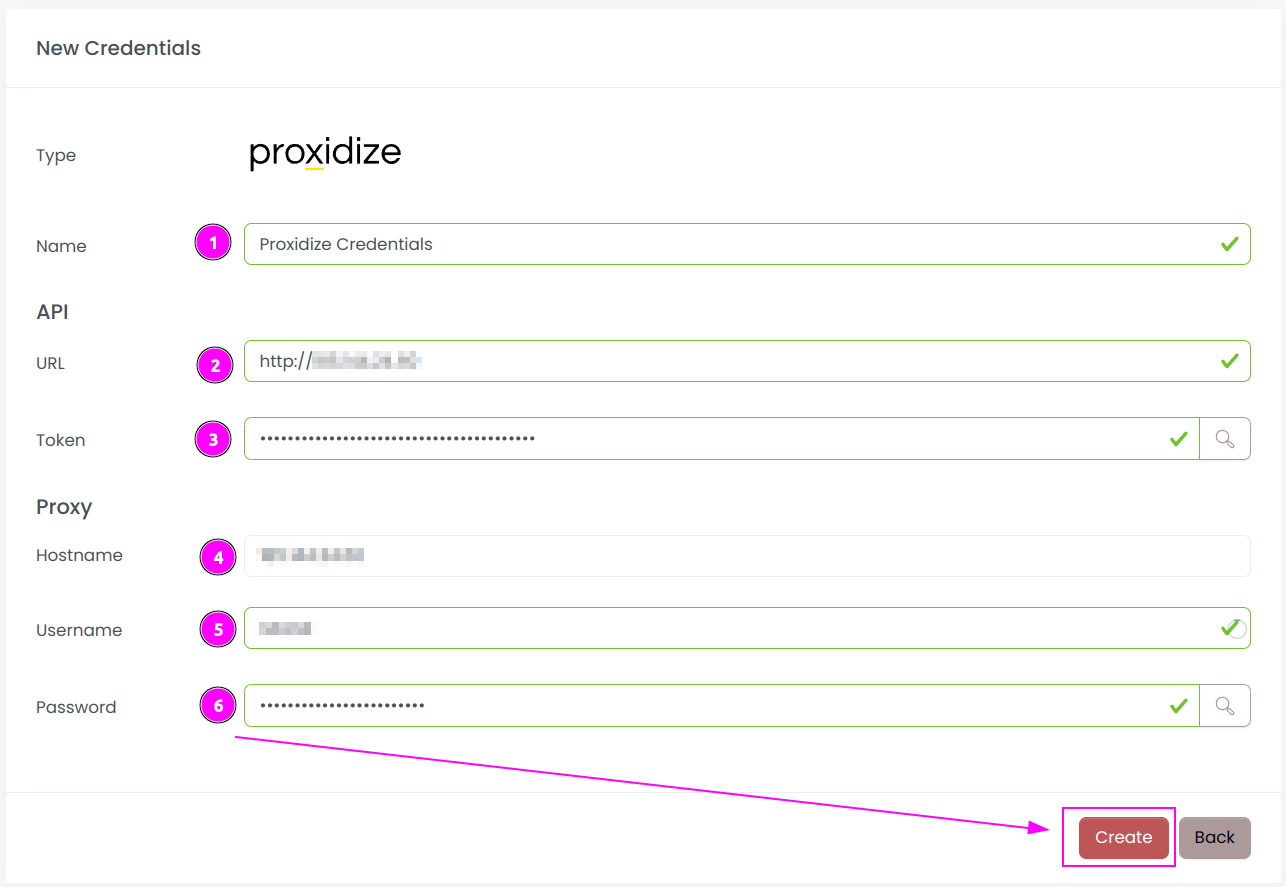
Complete the form with the following information:
- Name: The name of the credential;
- URL: URL of the Proxidize Admin (without trailing
/); - Token: The token of the API;
- Hostname: The hostname of the proxy (should be the same as the URL);
- Password: The password of the proxy.
And click on Create.
Step 2: Create a new connector
Create a new connector and select Proxidize as provider:
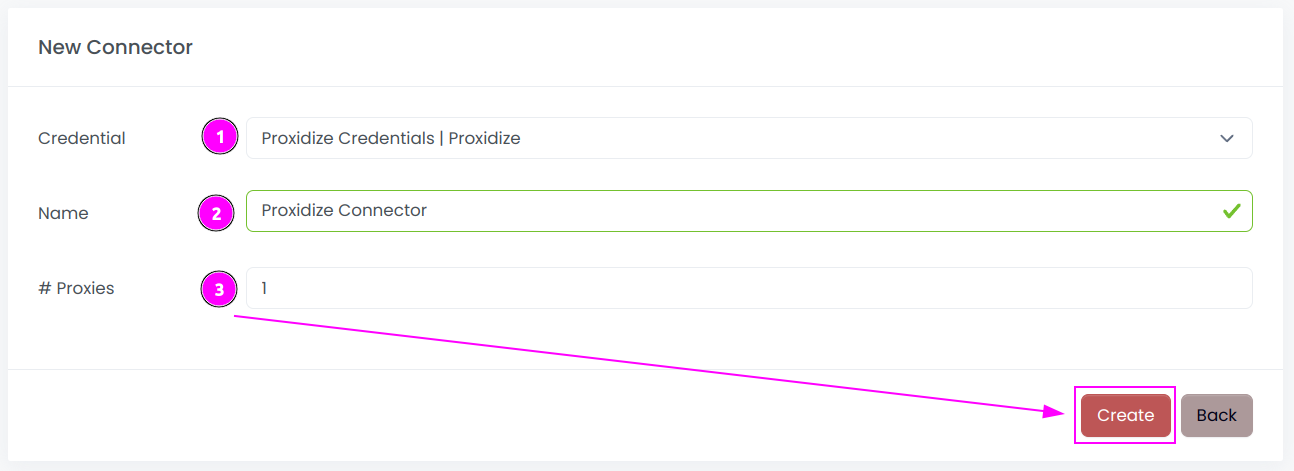
Complete the form with the following information:
- Credential: The previous credential;
- Name: The name of the connector;
- # Proxies: The number of instances to create.
And click on Create.
Step 3: Start the connector

- Start the project;
- Start the connector.
Step 4: Interact with modems

Within this connector, you can perform 2 actions on the proxies:
- Trash button: Initiates a fast rotation of the modem;
- Cross button: Triggers a slower process, rebooting the modem.
Other: Stop the connector

- Stop the connector;
- Wait for proxies to be removed.