

Proxyrack Connector

Proxyrack is an online platform that provides diverse and rotating residential, datacenter, and mobile proxies.
Prerequisites
An active Proxyrack subscription is required.
WARNING
ProxyHerd supports only Private Unmetered Residential proxies.
Proxyrack Admin
Connect to Admin.
Get the credentials
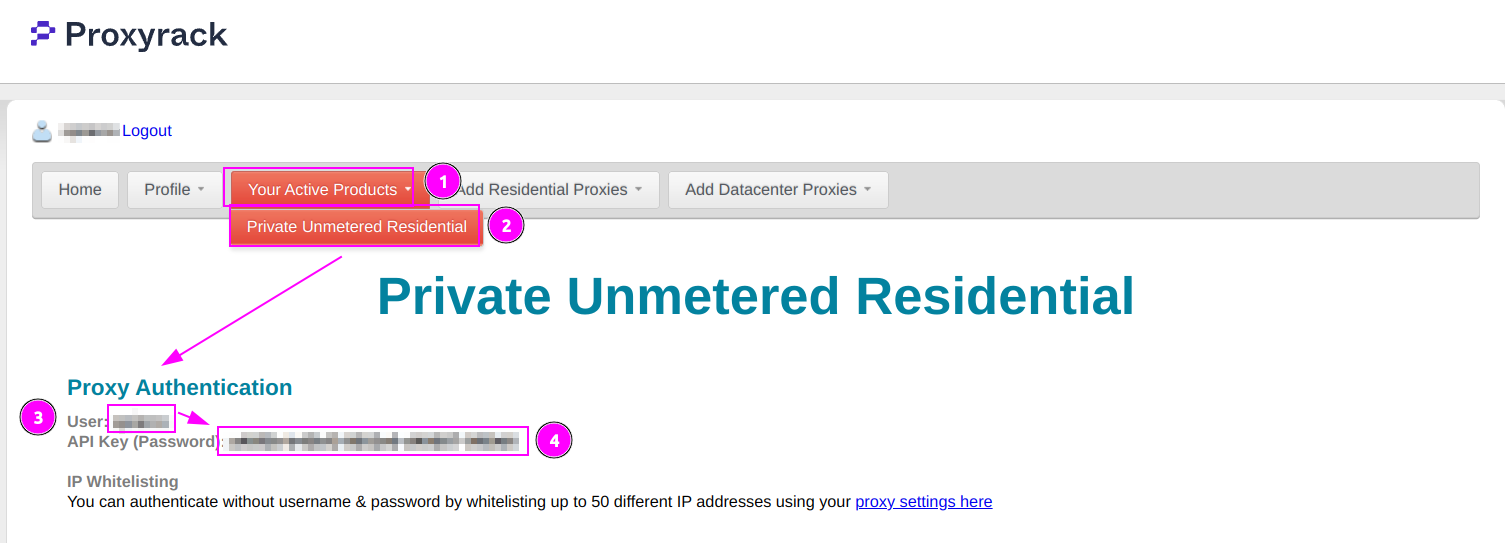
- On the menu, click on
Your Active Products; - Select
Private Unmetered Residential; - Remember
Username; - Remember
API Key (Password).
ProxyHerd
Open ProxyHerd User Interface and select Marketplace:
Step 1: Create a new credential
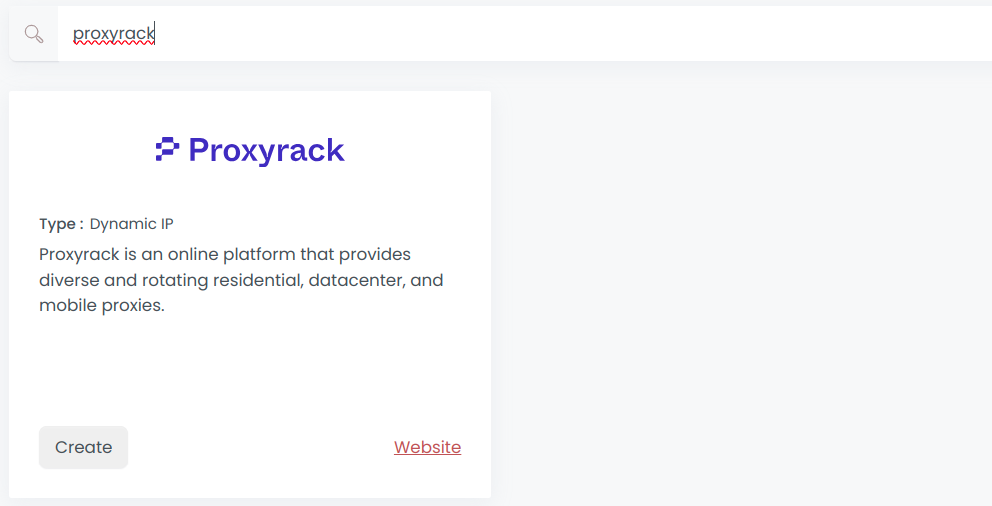
Select Proxyrack to create a new credential (use search if necessary).
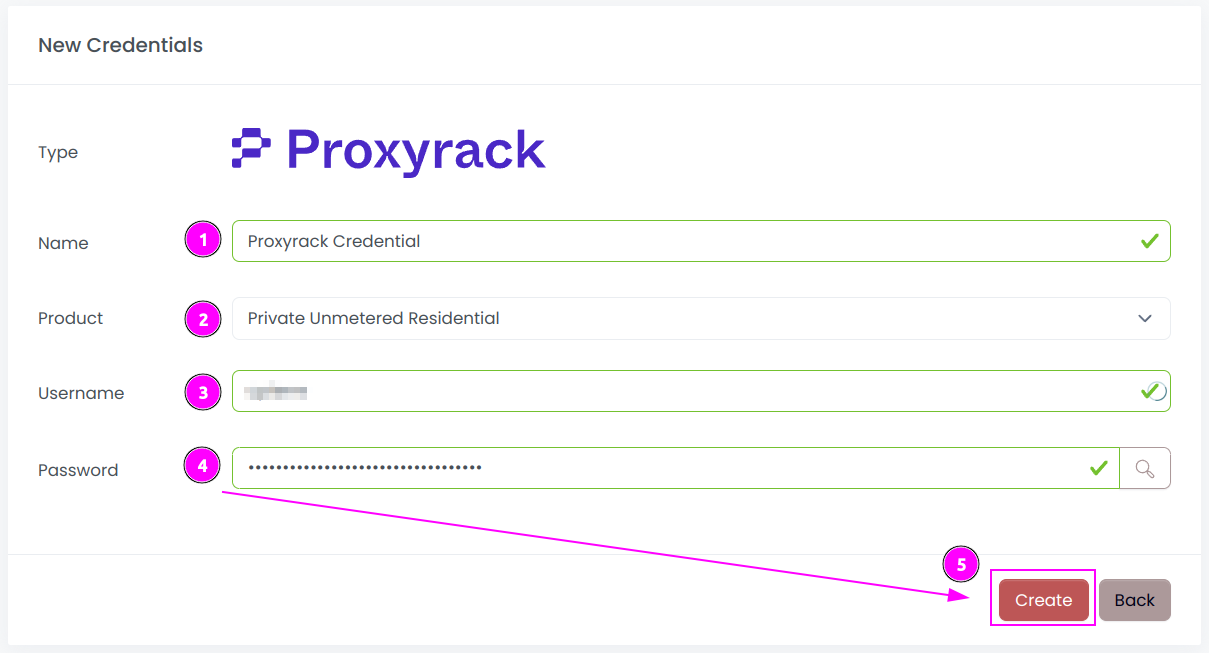
Complete the form with the following information:
- Name: The name of the credential;
- Product: Choose
Private Unmetered Residential; - Username: The username of the API;
- Password: The key of the API.
And click on Create.
Step 2: Create a new connector
Create a new connector and select Proxyrack as provider:
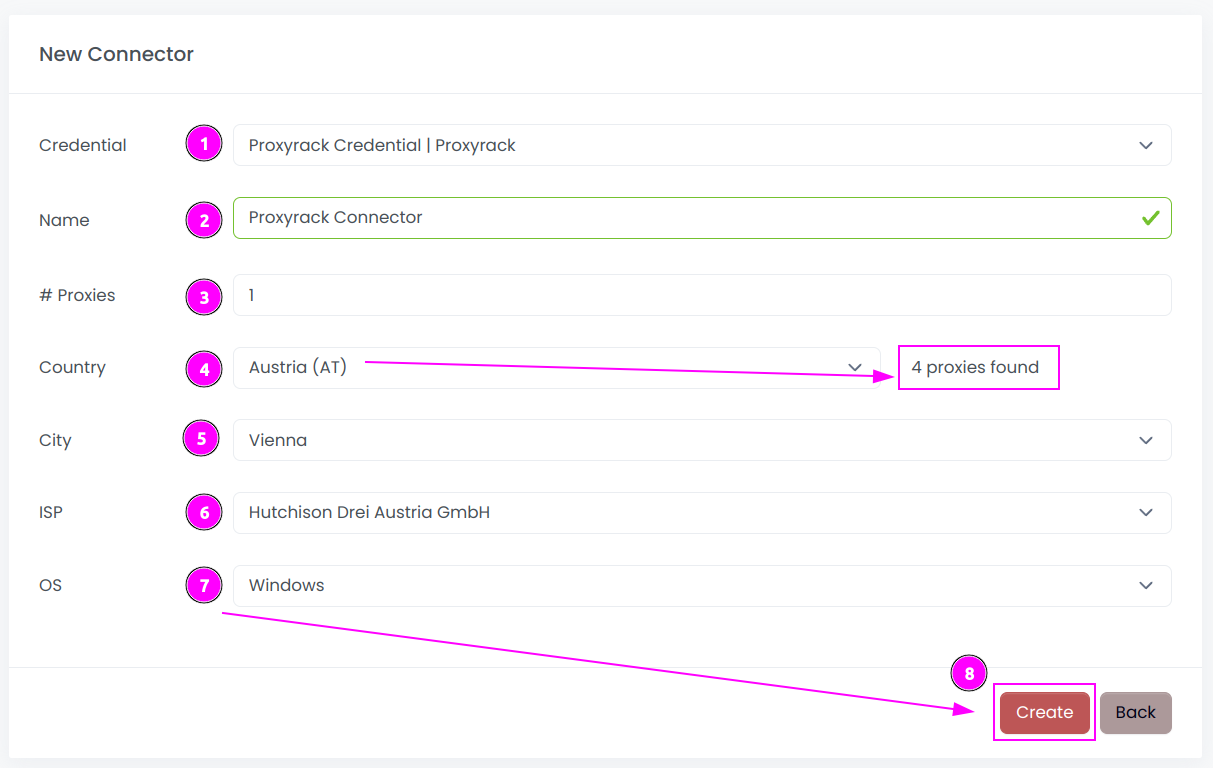
Complete the form with the following information:
- Credential: The previous credential;
- Name: The name of the connector;
- # Proxies: The number of instances to create;
- Country: Select the country to use, or
Allto use all countries. ProxyHerd will retrieve the available proxies count for this country; - City: Select the city to use, or
Allto use all cities; - ISP: Select the Internet Service Provider to use, or
Allto use all ISPs; - OS: Select the Operating System to use, or
Allto use all OSs.
And click on Create.
INFO
You can ask to Proxyrack to refine proxies by country, city, ISP or OS. If you do not have access to this feature, you can leave the default value All.
Step 3: Start the connector

- Start the project;
- Start the connector.
Step 4: Interact with sessions

Within this connector, you can perform 2 actions on the proxies:
- Trash button: Initiates a session rotation. The session is temporarily removed and will be reused later.
- Cross button: Kill the session. The session definitively removed. But there is a limit number of removal per hour.
Other: Stop the connector

- Stop the connector;
- Wait for proxies to be removed.