


Proxy-Seller Connector

Proxy-Seller offers DC/ISP/Mobile proxy service offers businesses a high-quality, cost-effective solution for reliable data access, tailored to meet the demands of professional use.
This connector is for Mobile Proxies, ISP Proxies and Datacenter Proxies.
Check out this video:
Prerequisites
An active Proxy-Seller subscription is required on Mobile Proxies, ISP Proxies or Datacenter Proxies.
Proxy-Seller Dashboard
Connect to Dashboard.
Get the API credentials
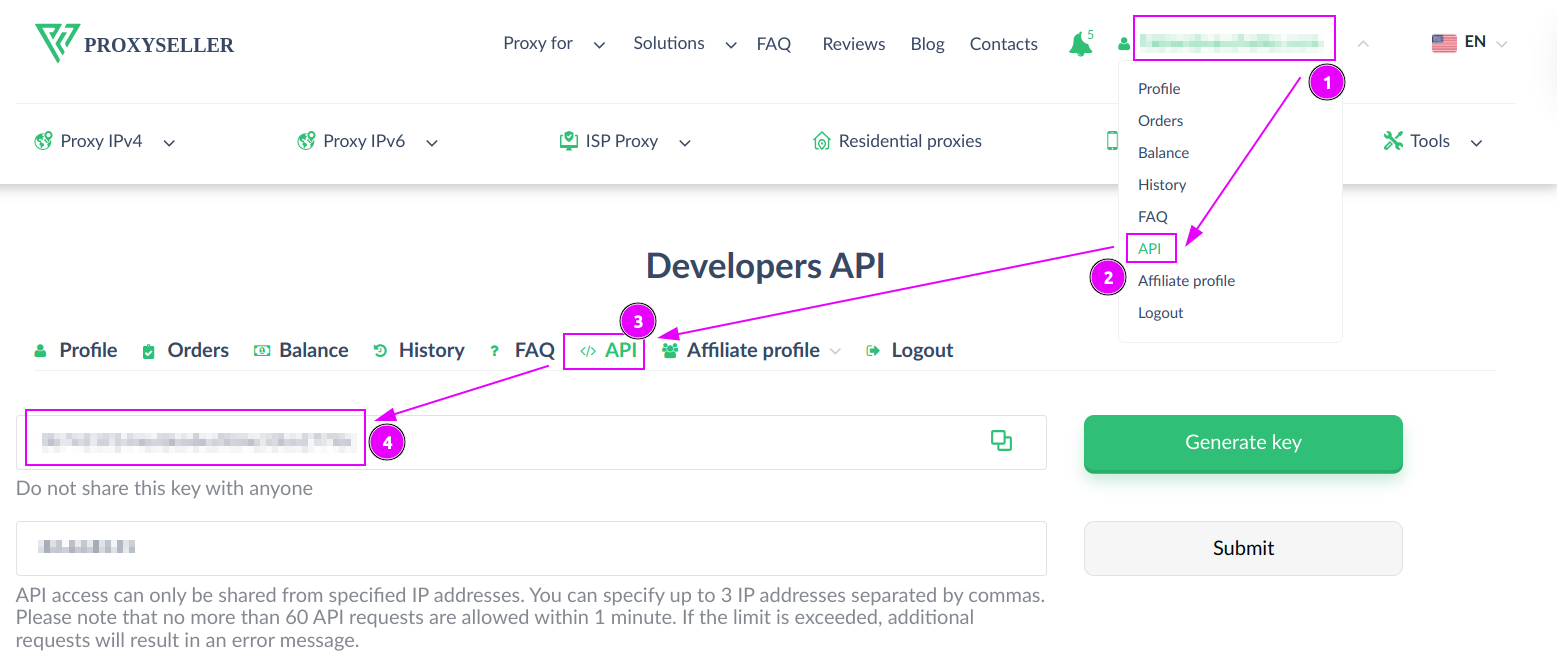
- On the top right menu, click on your account;
- Select
APImenu; - Check that your are on the
APItab; - Remember the
Token.
ProxyHerd
Open ProxyHerd User Interface and select Marketplace:
Step 1: Create a new credential
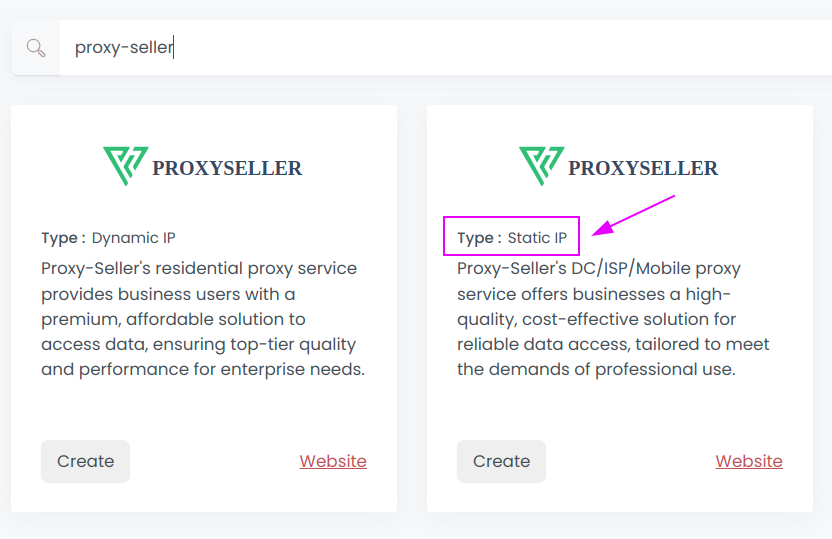
Select Proxy-Seller with type Static IP to create a new credential (use search if necessary).
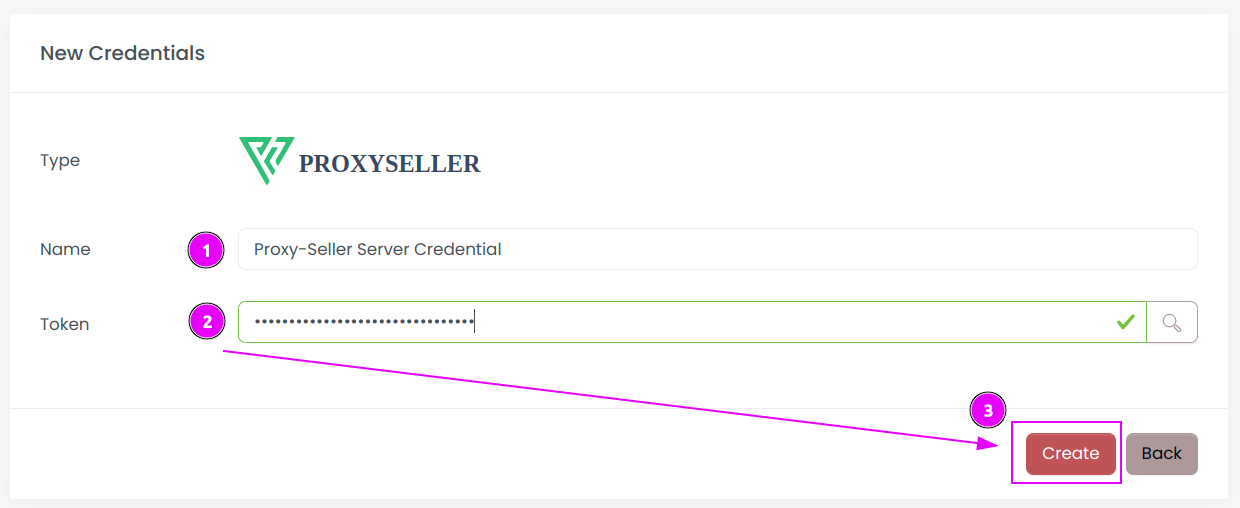
Complete the form with the following information:
- Name: The name of the credential;
- Token: The token of the API;
And click on Create.
Step 2: Create a new connector
Create a new connector and select Proxy-Seller as provider:
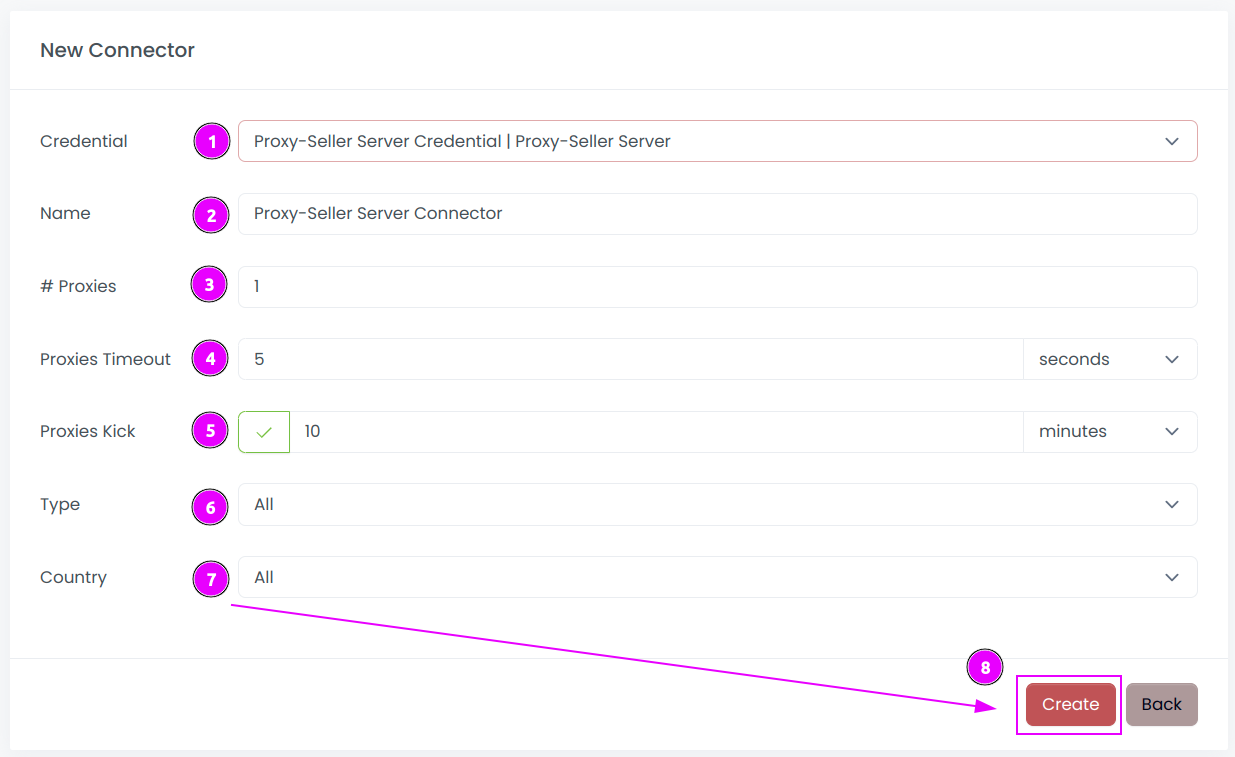
Complete the form with the following information:
- Credential: The previous credential;
- Name: The name of the connector;
- # Proxies: The number of instances to create.
- Proxies Timeout: Maximum duration for connecting to a proxy before considering it as offline;
- Proxies Kick: If enabled, maximum duration for a proxy to be offline before being removed from the pool;
- Type: Select the type to use (Datacenter, ISP or Mobile), or
Allto use all products. - Country: Select the country to use, or
Allto use all countries;
And click on Create.
Step 3: Start the connector

- Start the project;
- Start the connector.
Other: Stop the connector

- Stop the connector;
- Wait for proxies to be removed.