


Nimble Connector

Nimble is an experience seamless data-gathering with high-performance residential proxies, optimized for superior quality and granular control.
Prerequisites
An active Nimble subscription is required.
WARNING
ProxyHerd supports only Nimble IP.
Nimble Dashboard
Connect to Dashboard.
Get the credentials
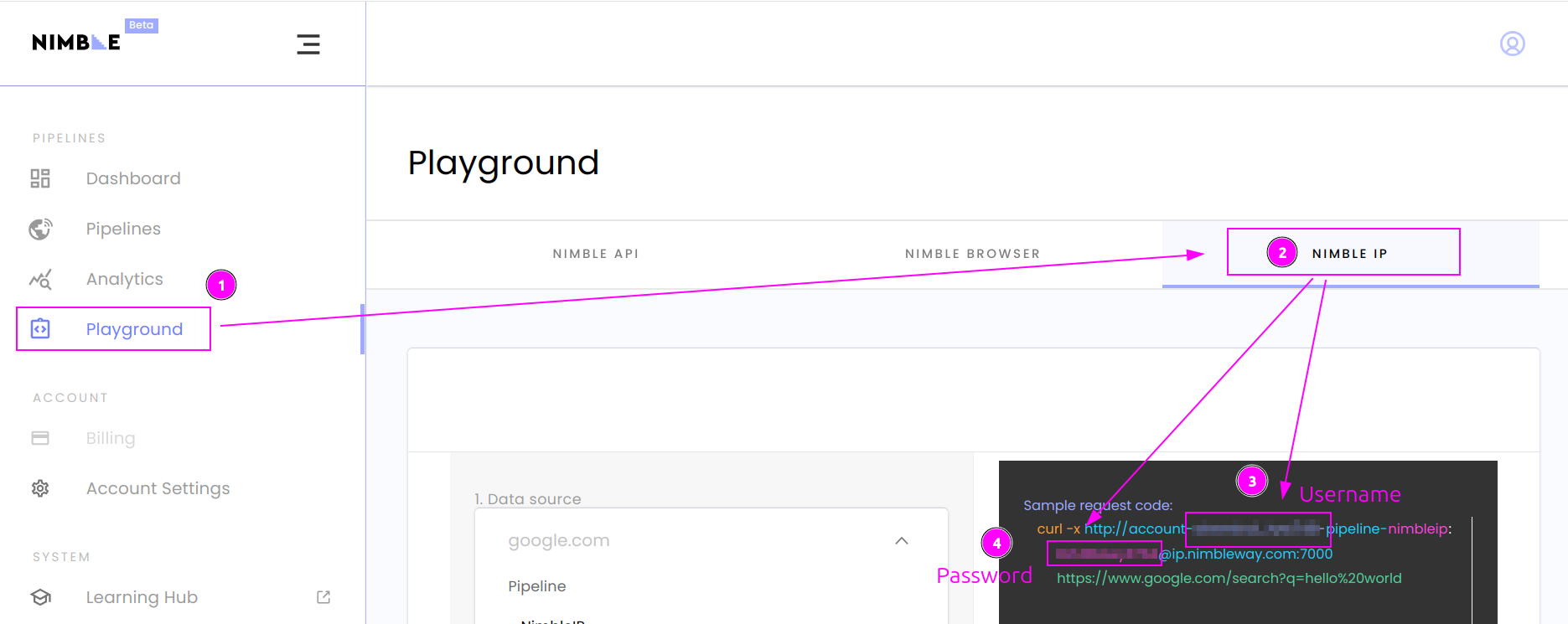
- On the left menu, click on
Playground; - Select
NIMBLE IPtab; - In the sample request code, remember
Username(format is...account-<username>-pipeline...); - And remember
Password(just before the@).
ProxyHerd
Open ProxyHerd User Interface and select Marketplace:
Step 1: Create a new credential
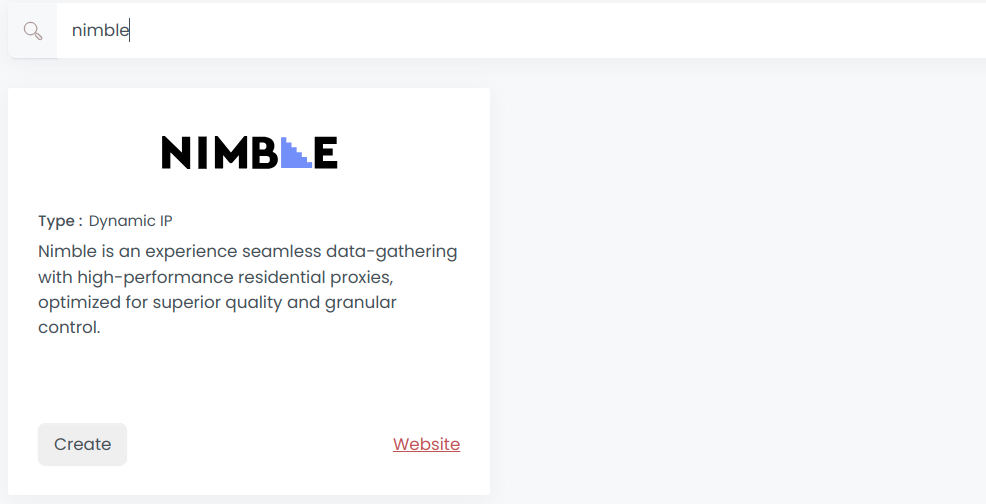
Select Nimble to create a new credential (use search if necessary).
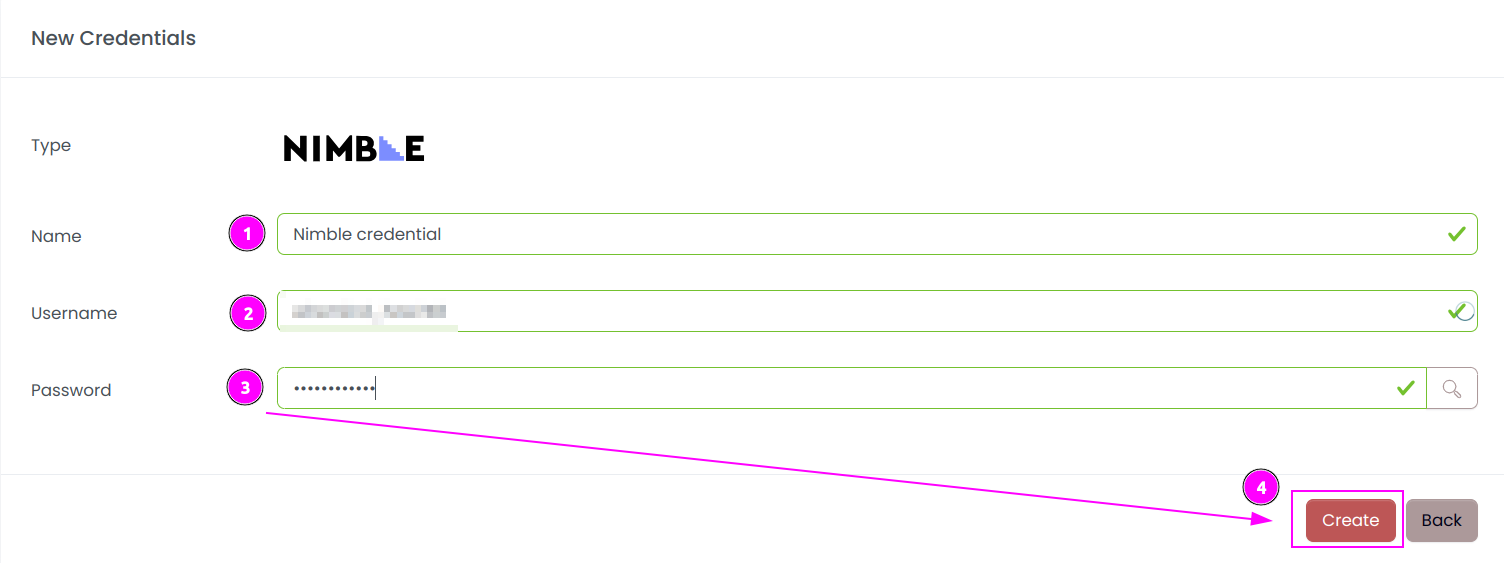
Complete the form with the following information:
- Name: The name of the credential;
- Username: The username previously copied;
- Password: The password previously copied.
And click on Create.
Step 2: Create a new connector
Create a new connector and select Nimble as provider:
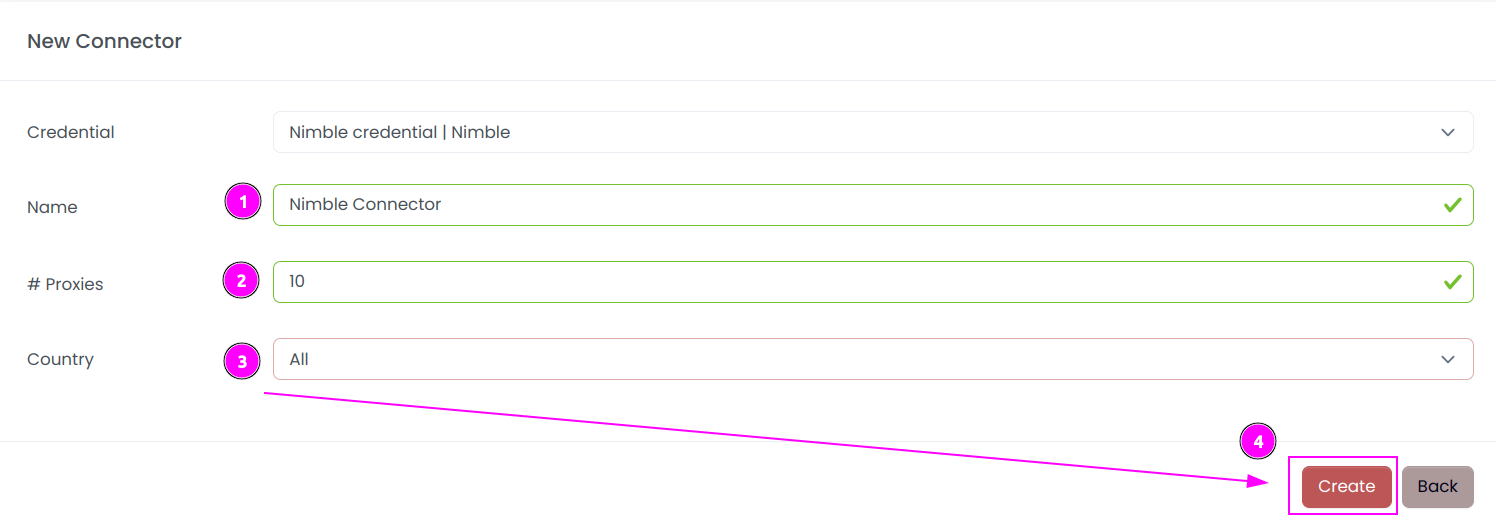
Complete the form with the following information:
- Name: The name of the connector;
- # Proxies: The number of instances to create;
- Country: Select the country to use, or
Allto use all countries. - And click on
Create.
INFO
You can ask to Nimble to refine proxies by country.
Step 3: Start the connector

- Start the project;
- Start the connector.
Other: Stop the connector

- Stop the connector;
- Wait for proxies to be removed.