


Live Proxies Connector

Live Proxies provides top notch private residential proxies tailored to businesses and individuals.
Prerequisites
An active Live Proxies subscription is required.
Live Proxies Dashboard
Connect to Dashboard.
Get the credentials
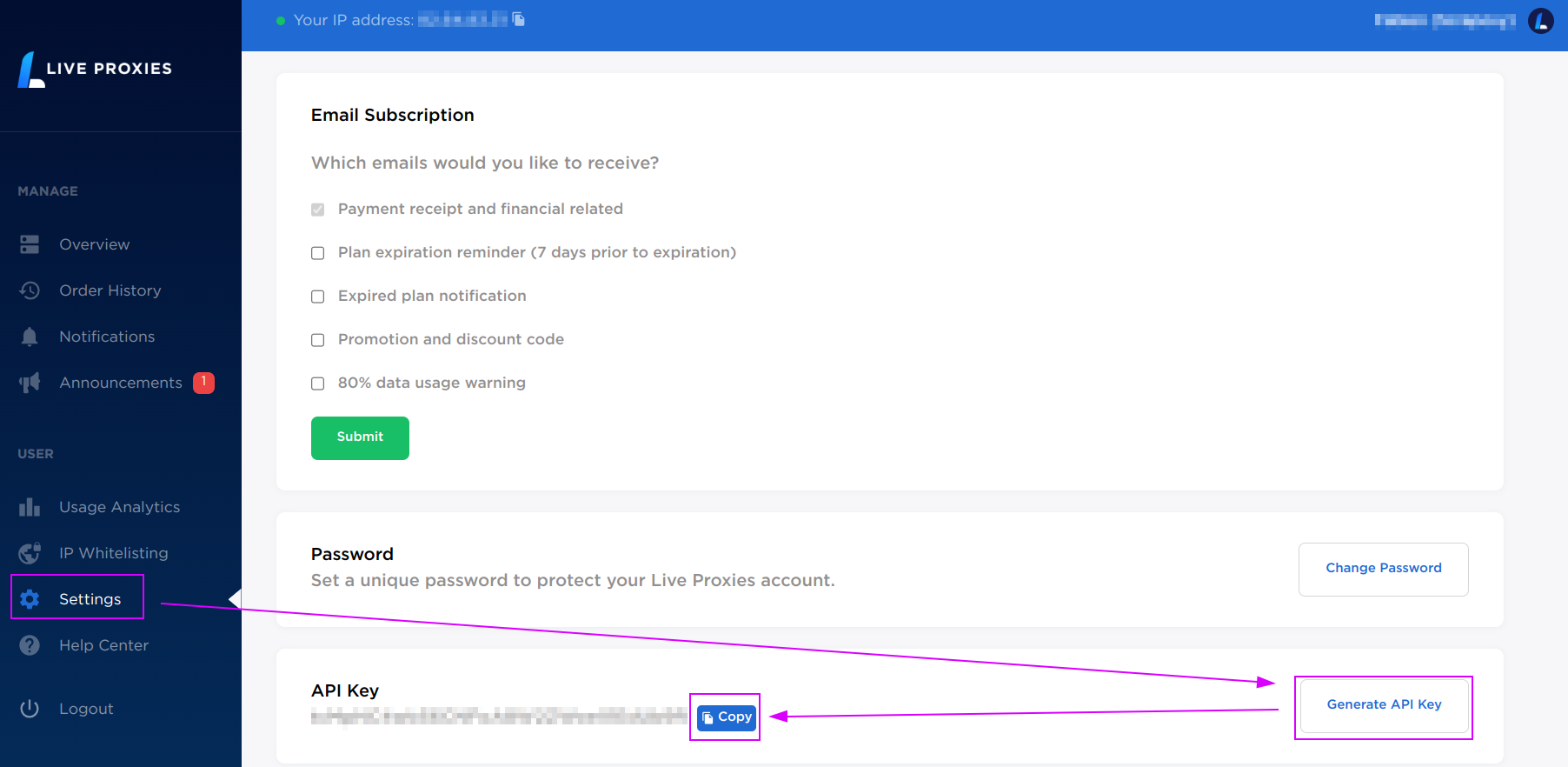
- Click on the
Settingstab - Click on
Generate API Keyto create a new key - Click on
Copyto save the key in the clipboard.
ProxyHerd
Open ProxyHerd User Interface and select Marketplace:
Step 1: Create a new credential
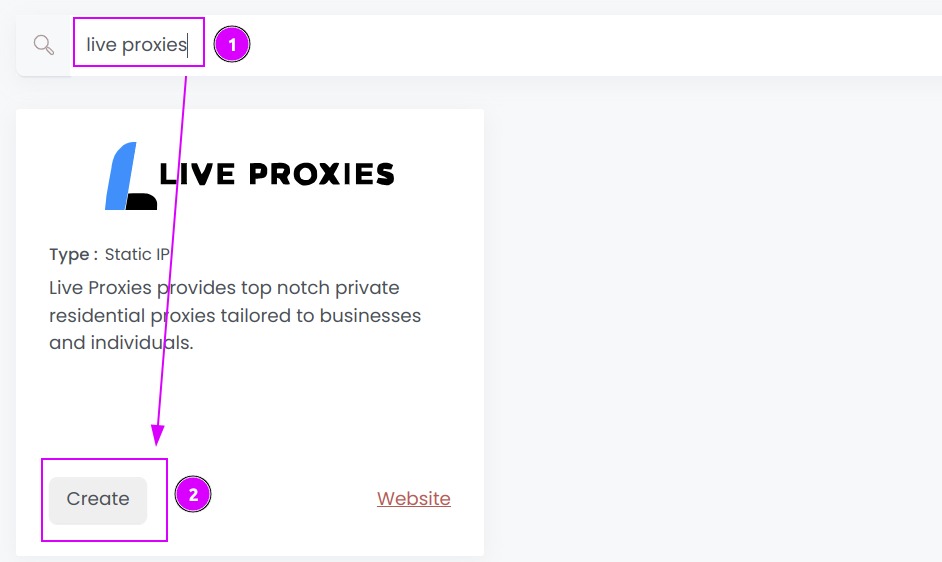
Select Live Proxies to create a new credential (use search if necessary).
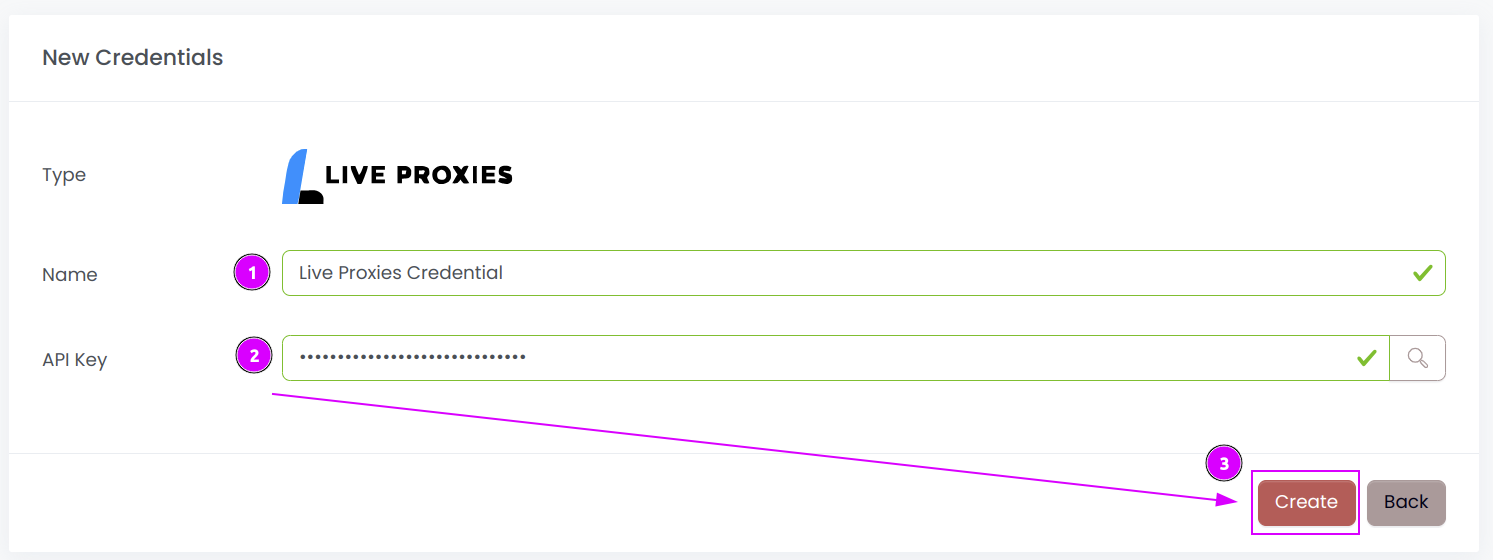
Complete the form with the following information:
- Name: The name of the credential;
- API Key: The key of the API.
And click on Create.
Step 2: Create a new connector
Create a new connector and select Rayobyte as provider:
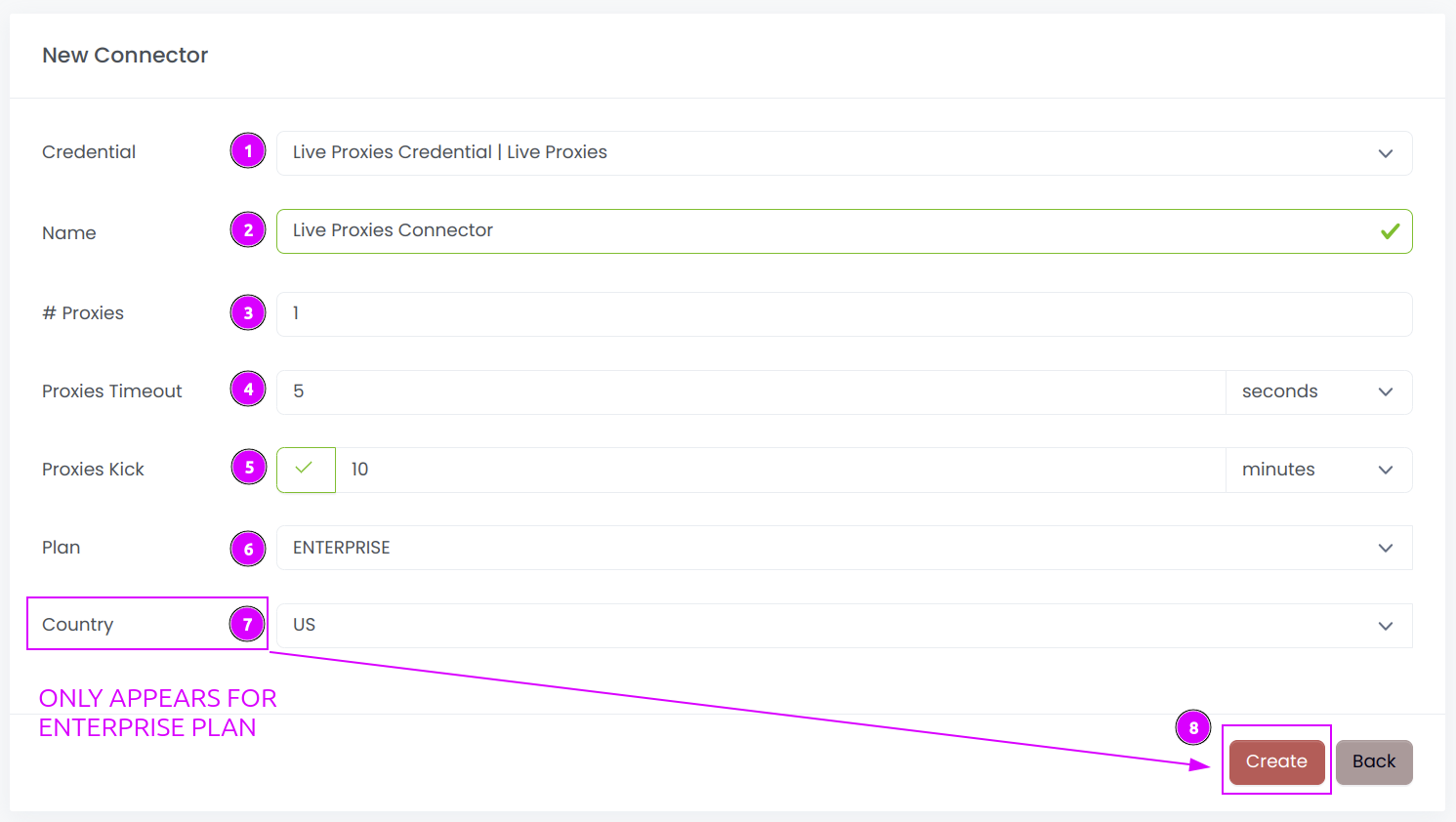
Complete the form with the following information:
- Credential: The previous credential;
- Name: The name of the connector;
- # Proxies: The number of instances to create;
- Proxies Timeout: Maximum duration for connecting to a proxy before considering it as offline;
- Proxies Kick: If enabled, maximum duration for a proxy to be offline before being removed from the pool;
- Plan: Select the plan to use;
- Country: Select the country to use, or
Allto use all countries. This menu only appears forEnterpriseplan.
And click on Create.
Step 3: Start the connector

- Start the project;
- Start the connector.
INFO
If the proxies were just ordered, it may take between 5 and 10 minutes to be available.
Other: Stop the connector

- Stop the connector;
- Wait for proxies to be removed.