


NetNut Connector

NetNut provides DC, ISP, Residential and Mobiles. With NetNut, transform any websites data into accurate and comprehensive structured data.
Prerequisites
An active NetNut subscription is required.
NetNut Portal
Connect to Portal.
Update the credentials
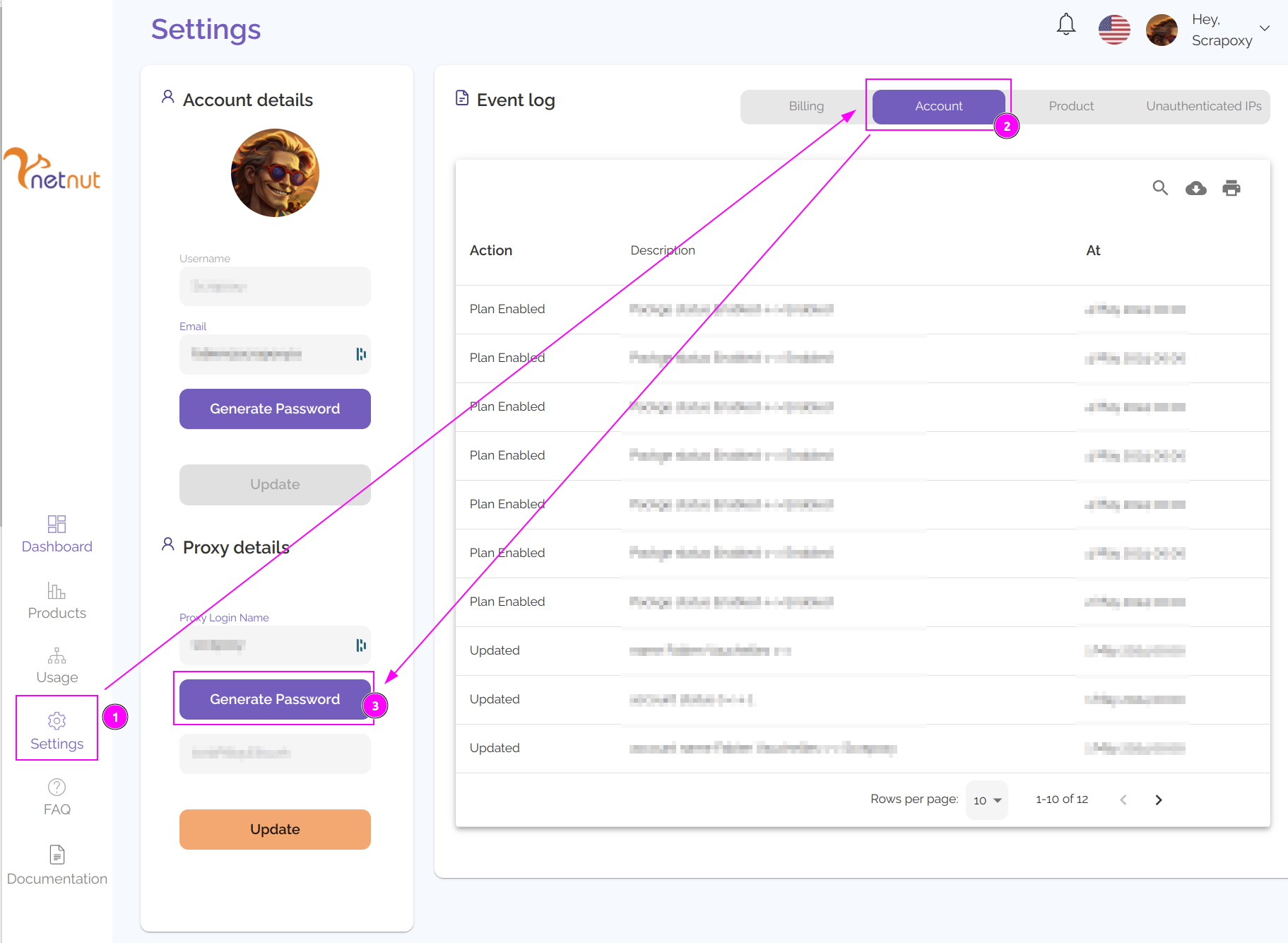
- On the left, click on `Settings';
- Click on the
Accounttab; - Click on the
Generate Passwordbutton.
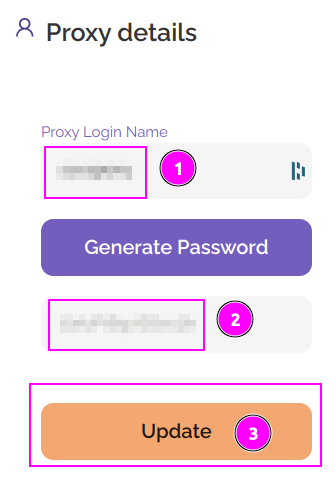
- Remember the
Proxy Login Name; - Remember the
Password; - Click on
Update.
WARNING
The password is only displayed once. If you lose it, you will need to update it again.
ProxyHerd
Open ProxyHerd User Interface and select Marketplace:
Step 1: Create a new credential
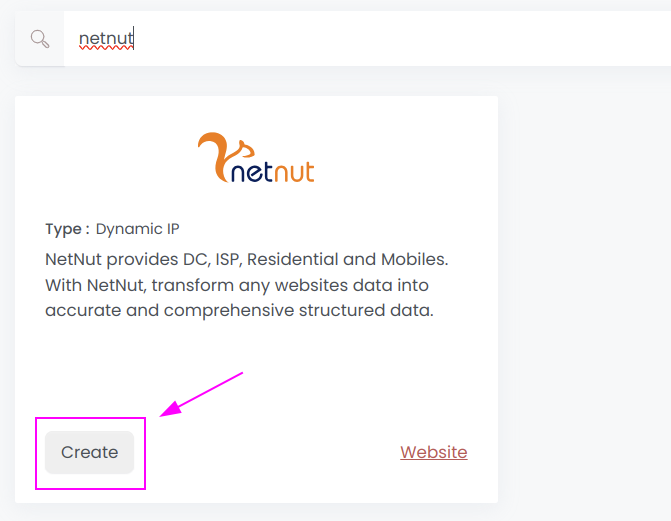
Select NetNut to create a new credential (use search if necessary).
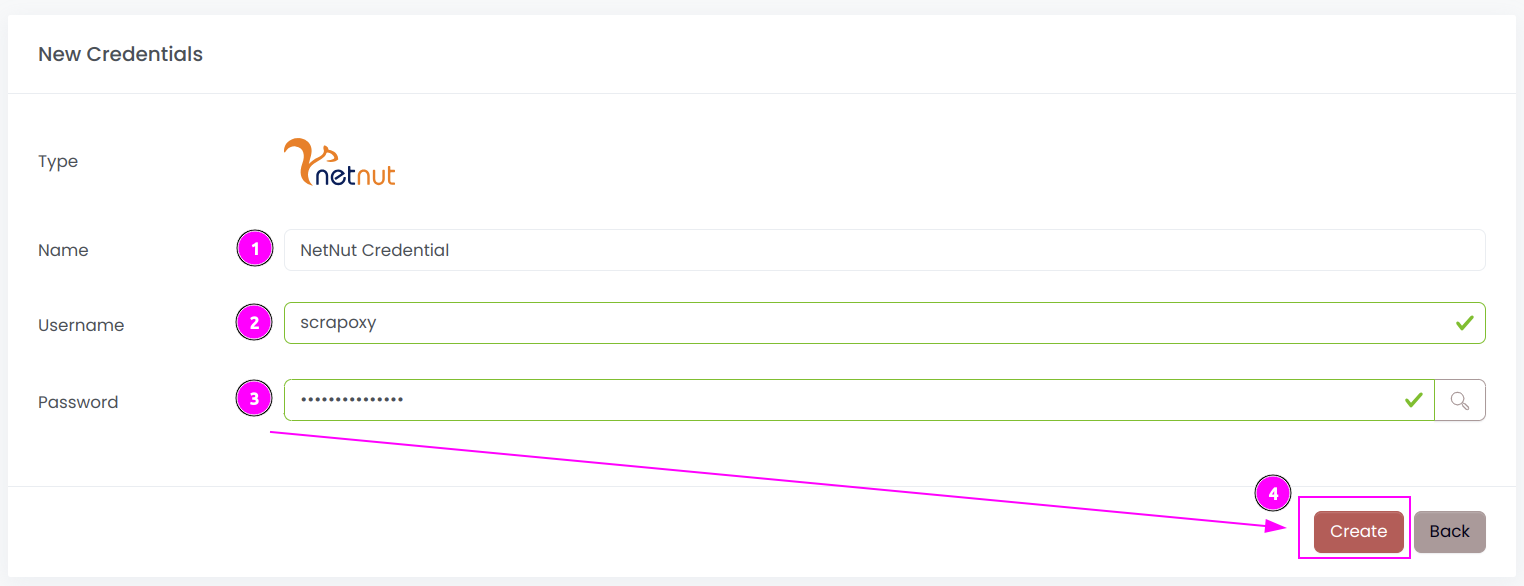
Complete the form with the following information:
- Name: The name of the credential;
- Username: The previously copied login;
- Password: The previously copied password.
And click on Create.
Step 2: Create a new connector
Create a new connector and select NetNut as provider:
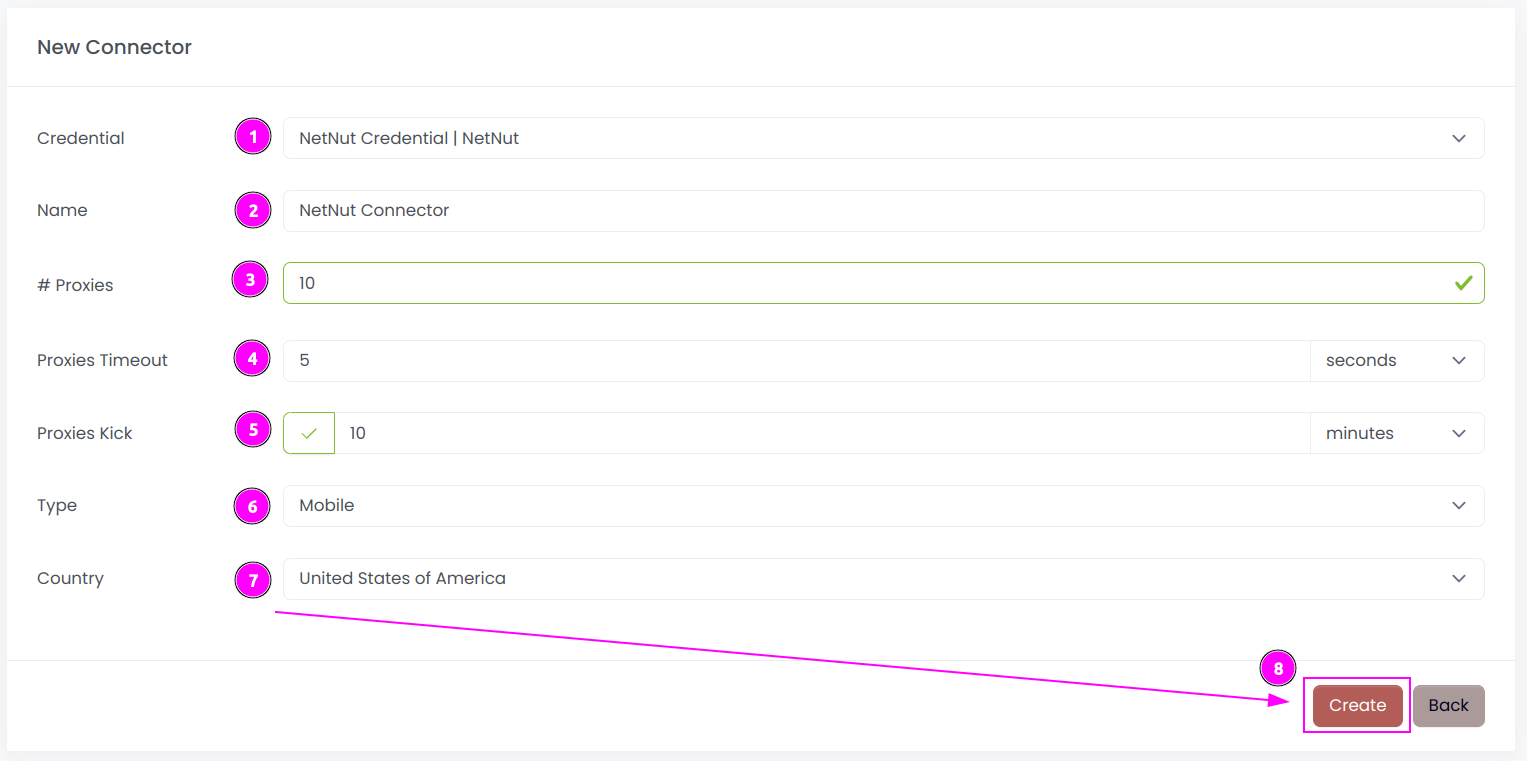
Complete the form with the following information:
- Credential: The previous credential;
- Name: The name of the connector;
- # Proxies: The number of instances to create.
- Proxies Timeout: Maximum duration for connecting to a proxy before considering it as offline;
- Proxies Kick: If enabled, maximum duration for a proxy to be offline before being removed from the pool;
- Type: The type of proxies to use between
Residential,ISP,MobileandDatacenter; - Country: The country of the proxies (or
Allfor all countries);
And click on Create.
Step 3: Start the connector

- Start the project;
- Start the connector.
Other: Stop the connector

- Stop the connector;
- Wait for proxies to be removed.