


Ninjas Proxy Connector

Ninjas Proxy is a provider that offers static and residential proxies.
Prerequisites
An active Ninjas Proxy subscription is required.
Ninjas Proxy Dashboard
Connect to Dashboard.
Get the credentials
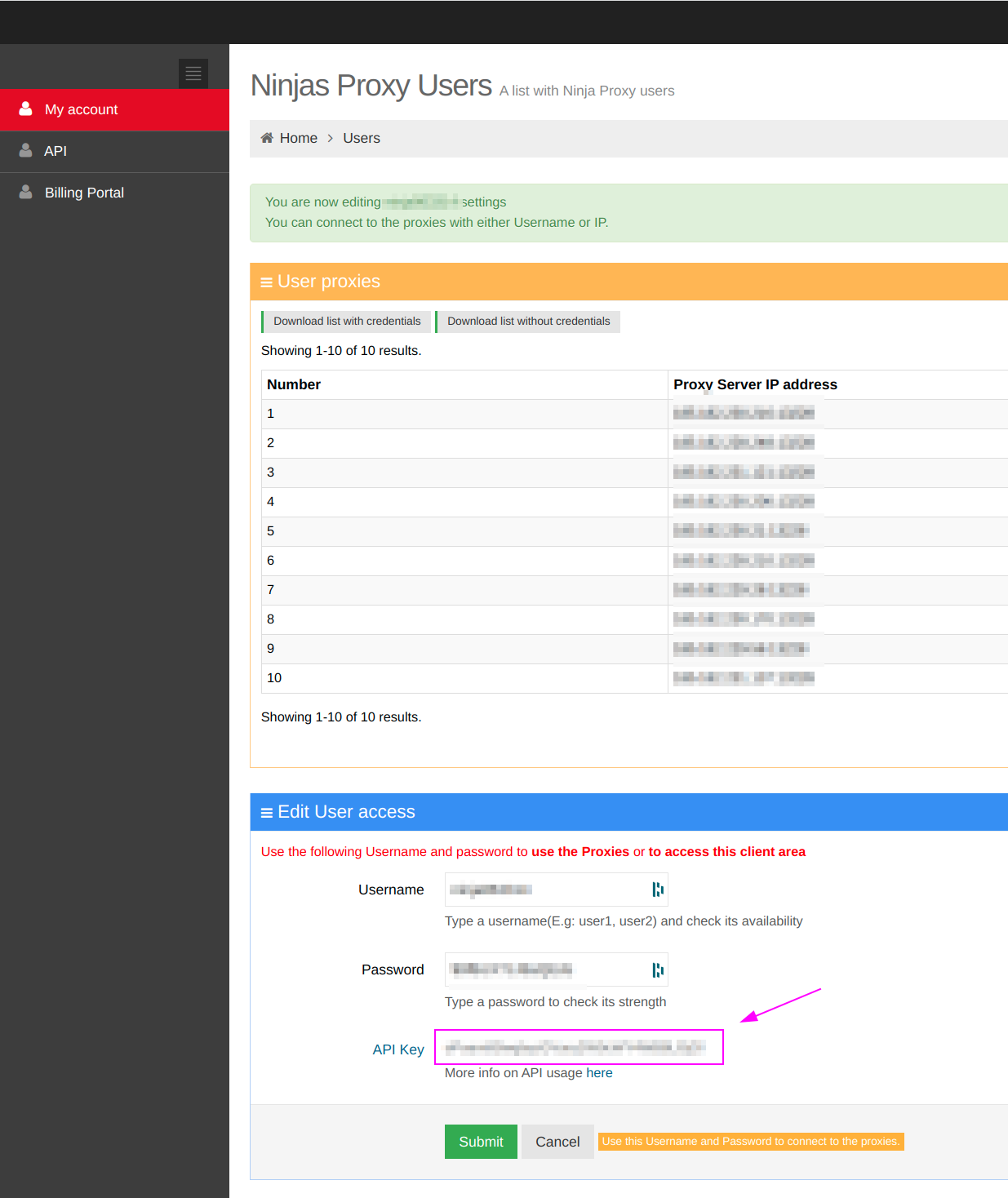
On, the Edit User access section, remember API Key.
ProxyHerd
Open ProxyHerd User Interface and select Marketplace:
Step 1: Create a new credential
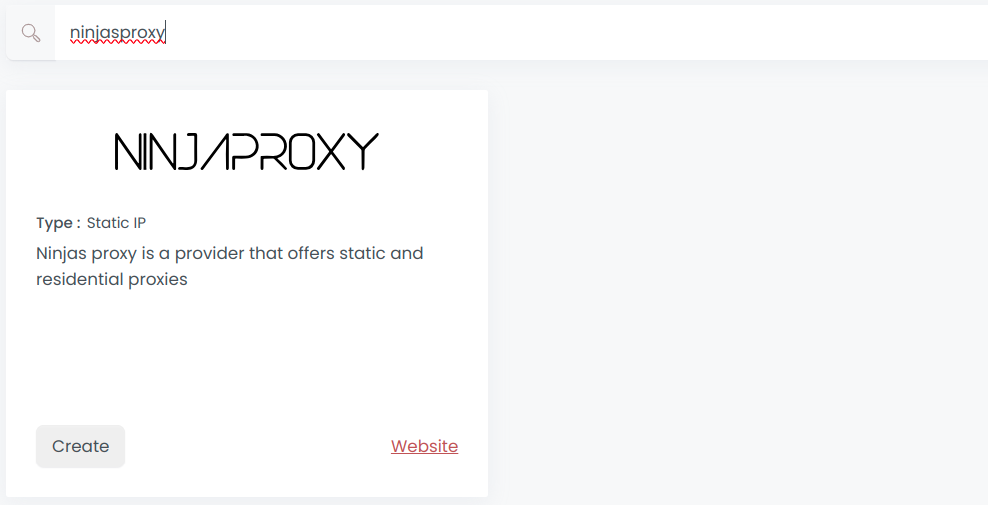
Select Ninjasproxy to create a new credential (use search if necessary).
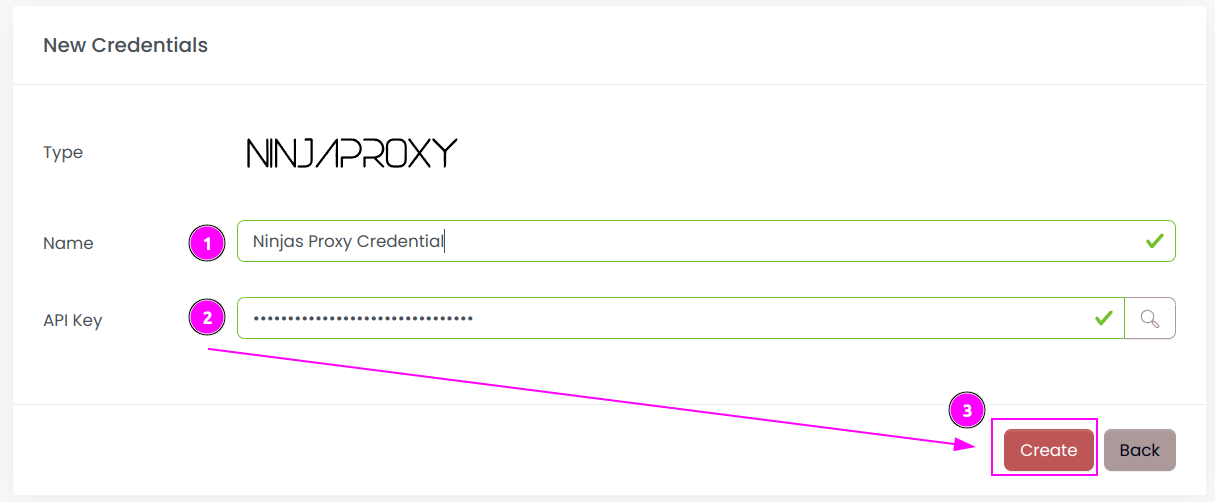
Complete the form with the following information:
- Name: The name of the credential;
- API Key: The key of the API.
And click on Create.
Step 2: Create a new connector
Create a new connector and select Ninjasproxy as provider:
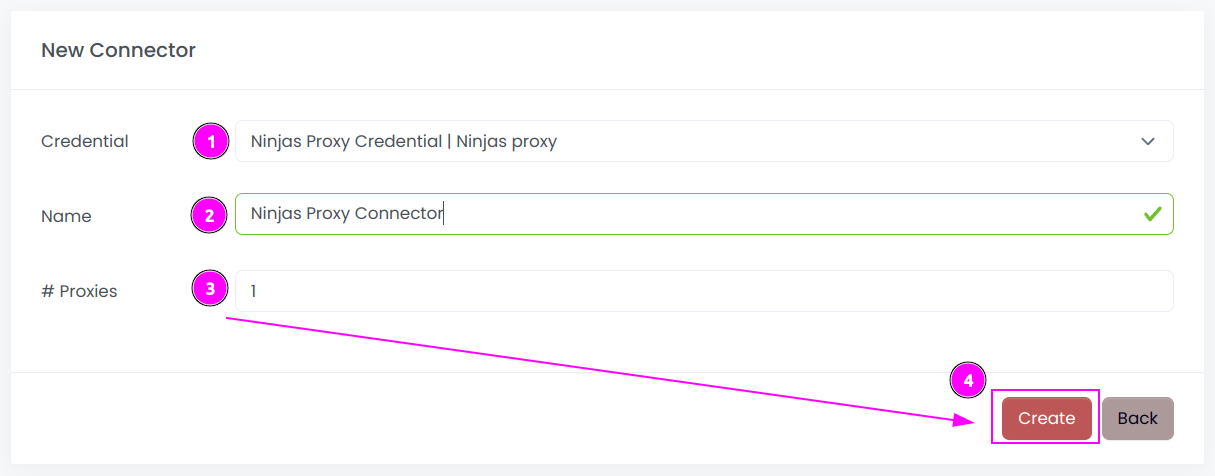
Complete the form with the following information:
- Credential: The previous credential;
- Name: The name of the connector;
- # Proxies: The number of instances to create.
And click on Create.
Step 3: Start the connector
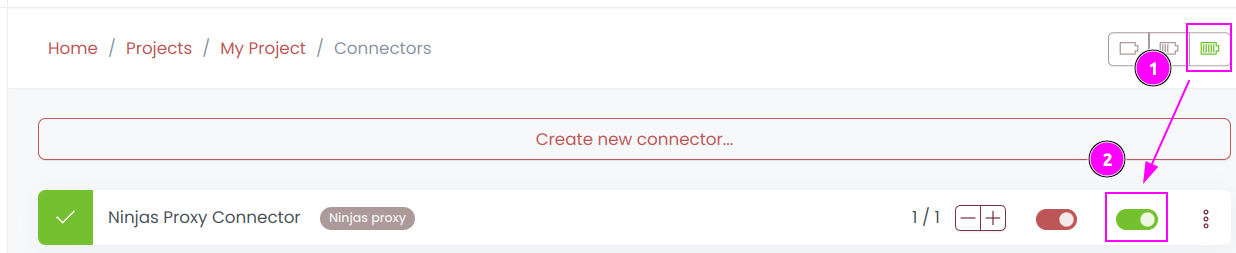
- Start the project;
- Start the connector.
Other: Stop the connector

- Stop the connector;
- Wait for proxies to be removed.