


Zyte Connector

Zyte (formely Crawlera) is a proxies service for Data Extraction.
ProxyHerd supports both Zyte API (Proxy Mode) and Smart Proxy Manager.
Prerequisites
An active Zyte subscription is required.
Zyte API
INFO
When using the Zyte API, you need to enable sticky sessions with an HTTP header or cookie because the cookie jar is linked to the Zyte session and its outbound IP. If you try to send the cookie through a different proxy, the Zyte API will remove it. A simpler solution is to keep all session requests on the same proxy in ProxyHerd.
Connect to the Zyte App:
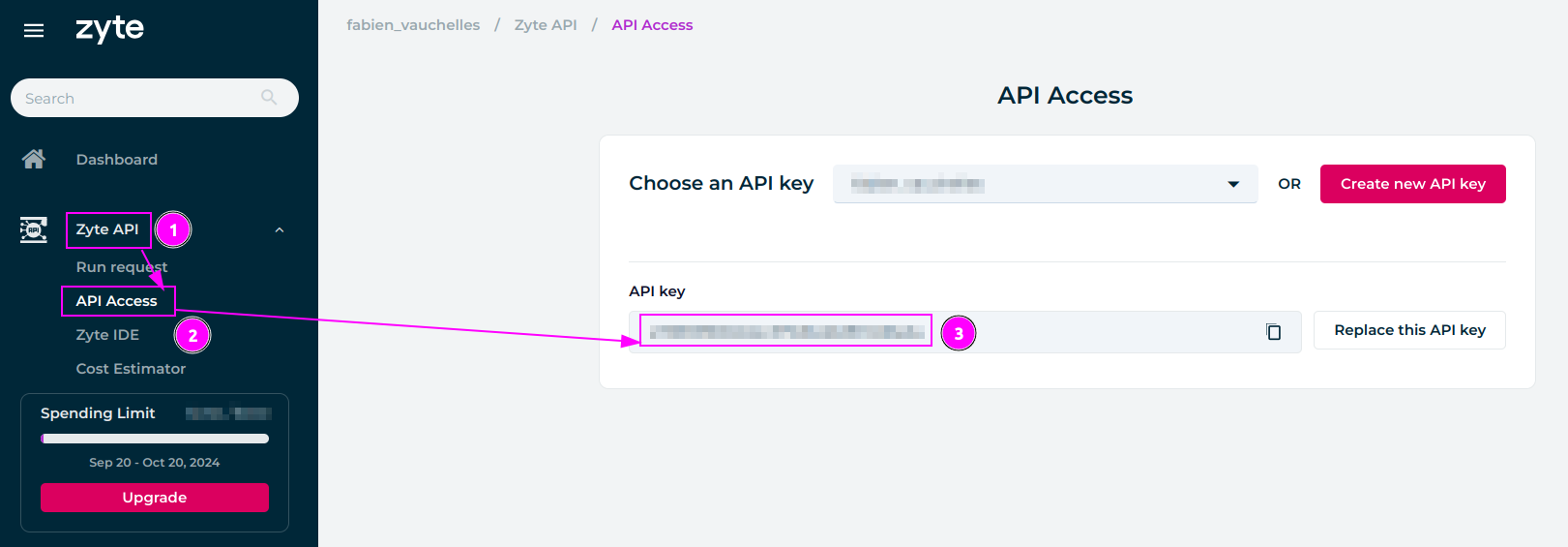
- Go to the
Zyte APIsection; - Select the
API Accesstab; - Remember the
API key.
Smart Proxy Manager
Connect to the Zyte App:
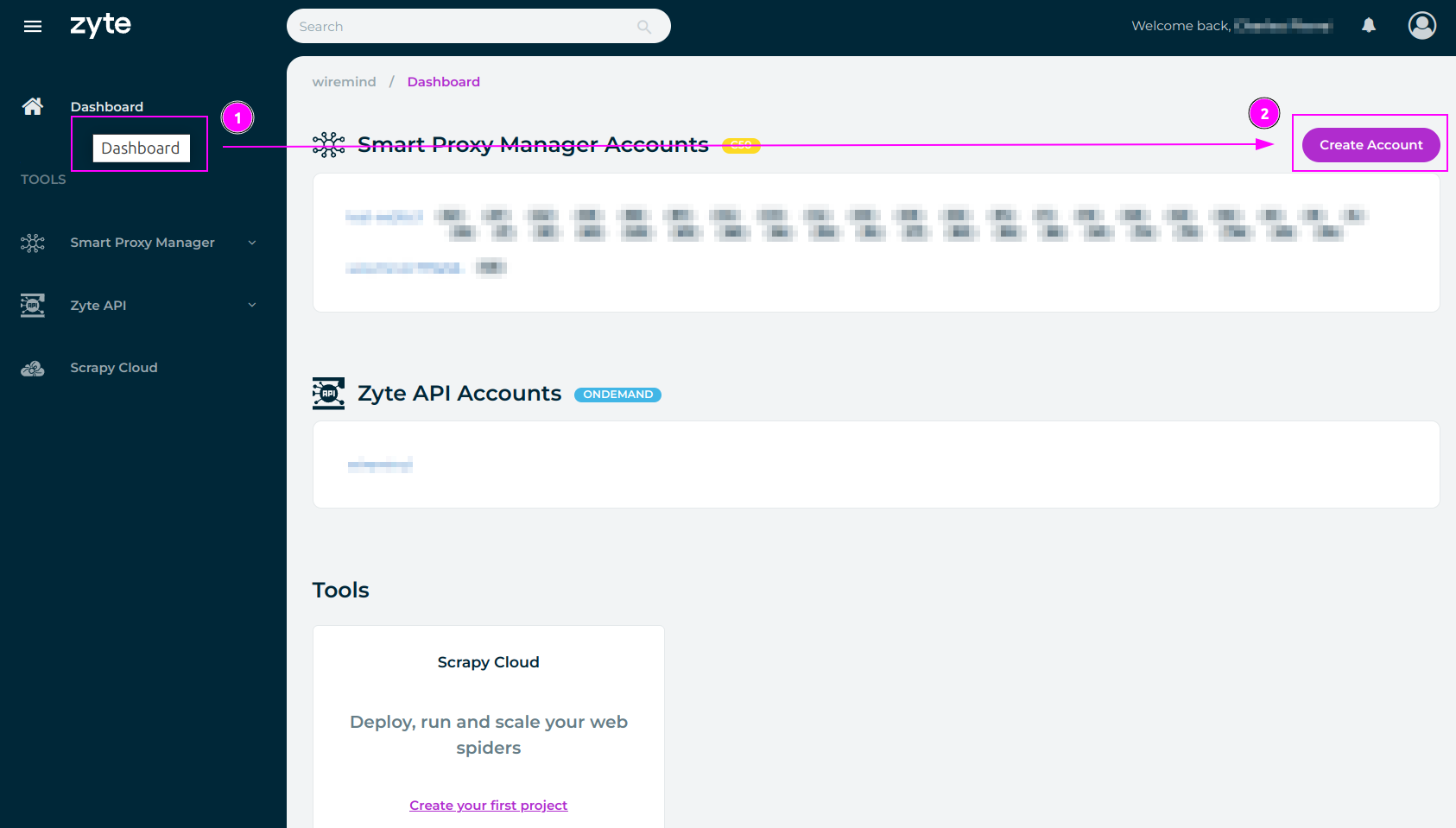
- Go to the
Dashboardsection; - And click on the
Create Accountbutton.
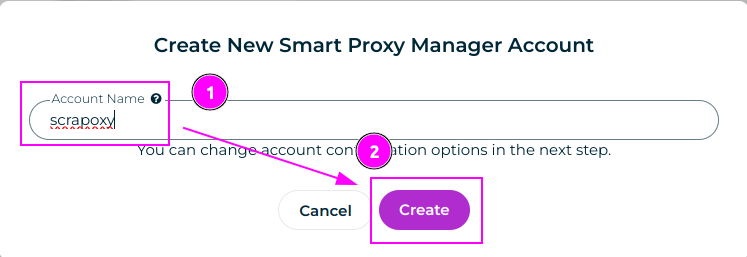
- Enter
proxyherdasAccount Name; - Click on the
Createbutton.
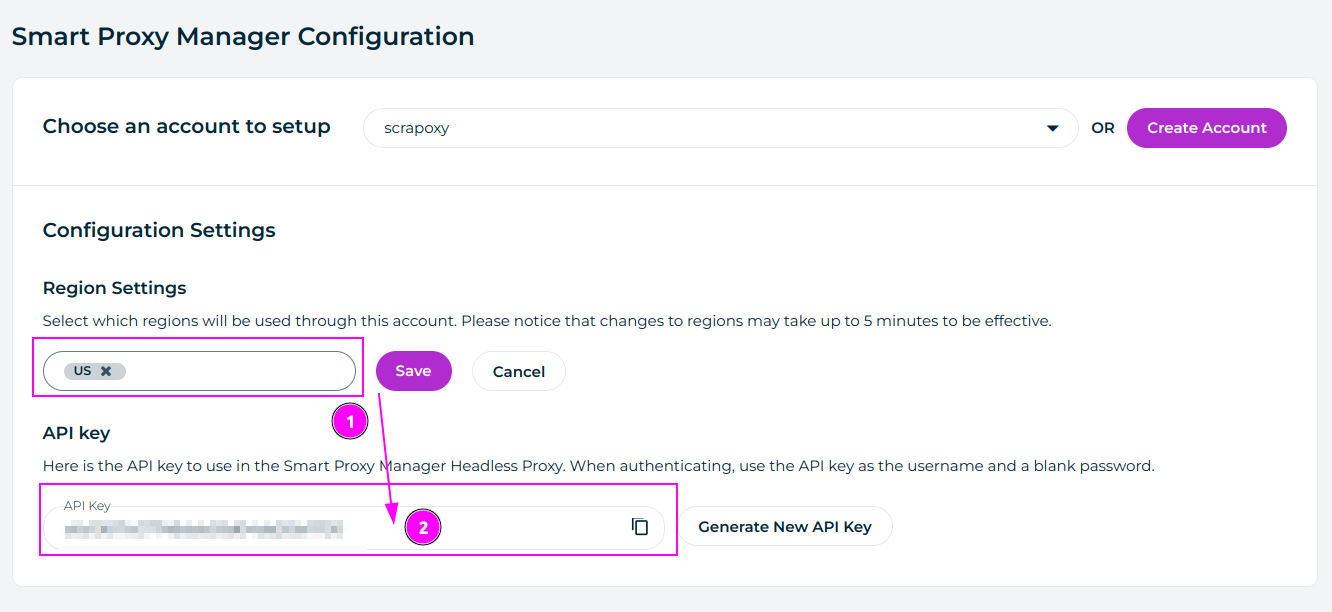
- Select the region you want to use and click on
Save; - Remember the
API Key.
ProxyHerd
Open ProxyHerd User Interface and select Marketplace:
Step 1: Create a new credential
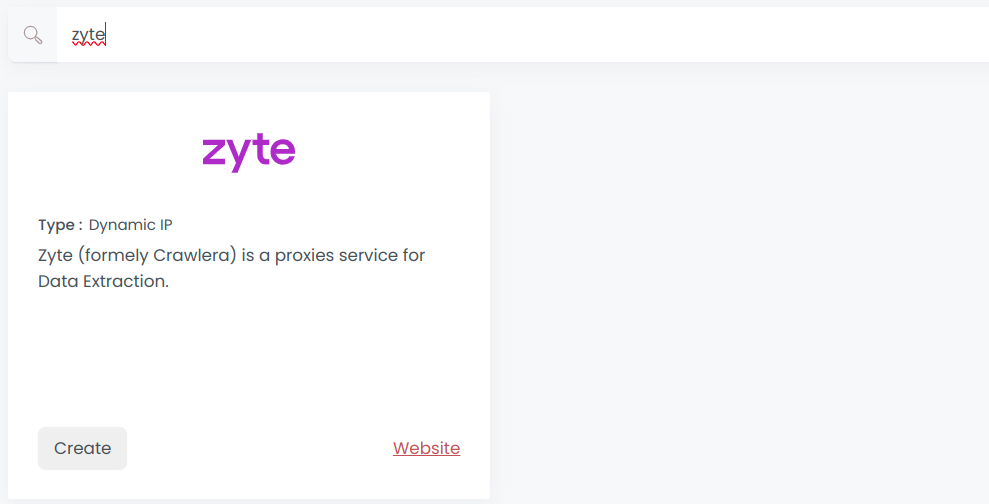
Select Zyte to create a new credential (use search if necessary).
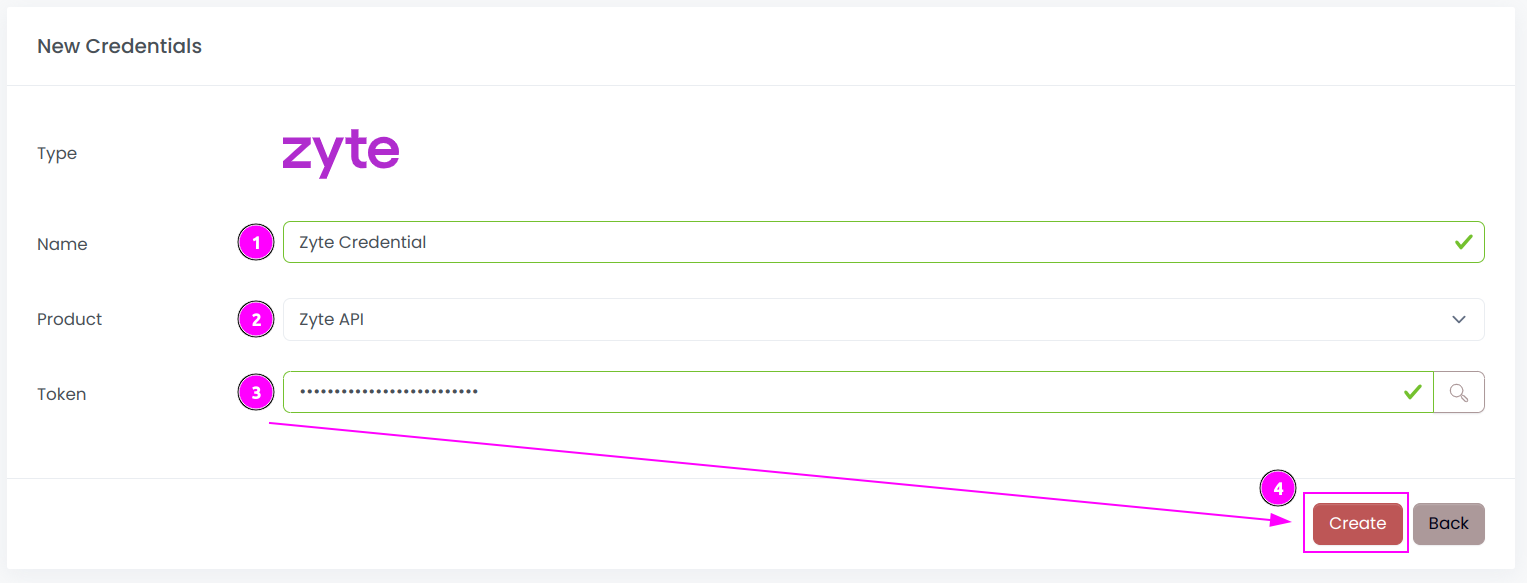
Complete the form with the following information:
- Name: The name of the credential;
- Product: The product to use (Zyte API or Smart Proxy Manager);
- Token: The token of the API.
And click on Create.
Step 2: Create a new connector
Create a new connector and select Zyte as provider:
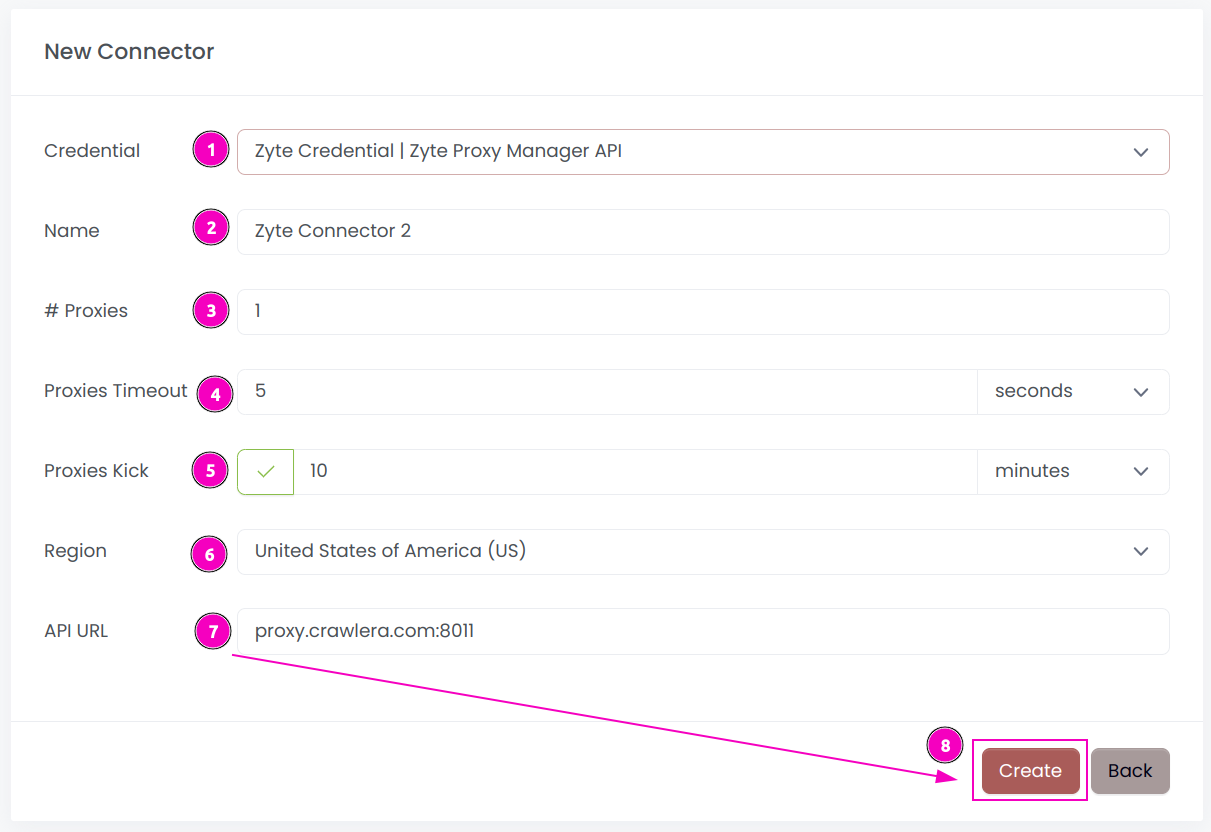
Complete the form with the following information:
- Credential: The previous credential;
- Name: The name of the connector;
- # Proxies: The number of instances to create;
- Proxies Timeout: Maximum duration for connecting to a proxy before considering it as offline;
- Proxies Kick: If enabled, maximum duration for a proxy to be offline before being removed from the pool;
- Region: Select the country to use;
- API URL: Set the URL (default is
api.zyte.com:8011for the Zyte API andproxy.crawlera.com:8011for the Smart Proxy Manager).
And click on Create.
Step 3: Start the connector
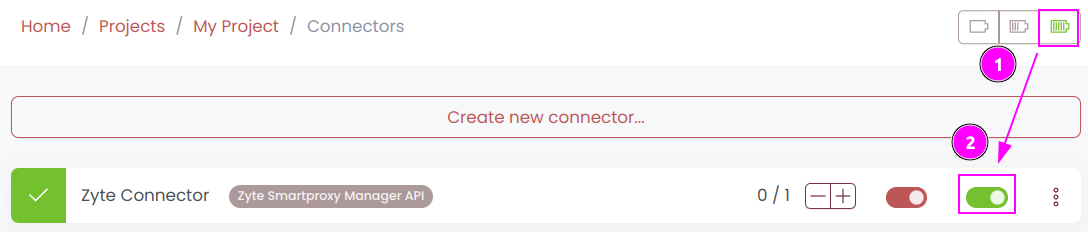
- Start the project;
- Start the connector.
Other: Stop the connector

- Stop the connector;
- Wait for proxies to be removed.